Let’s face it, in our increasingly connected world, a reliable network is no longer a luxury—it’s a necessity. While Wi-Fi offers undeniable convenience, there are times when only a rock-solid, wired connection will do. Whether you’re a hardcore gamer, a remote professional, or simply want smooth 4K streaming, an Ethernet cable provides unmatched stability and speed. But when you need to bridge a moderate distance, say across your home or office, you might find yourself wondering about the capabilities of a 75 Ft Ethernet Cable. Is it too long? Will it compromise your speed?
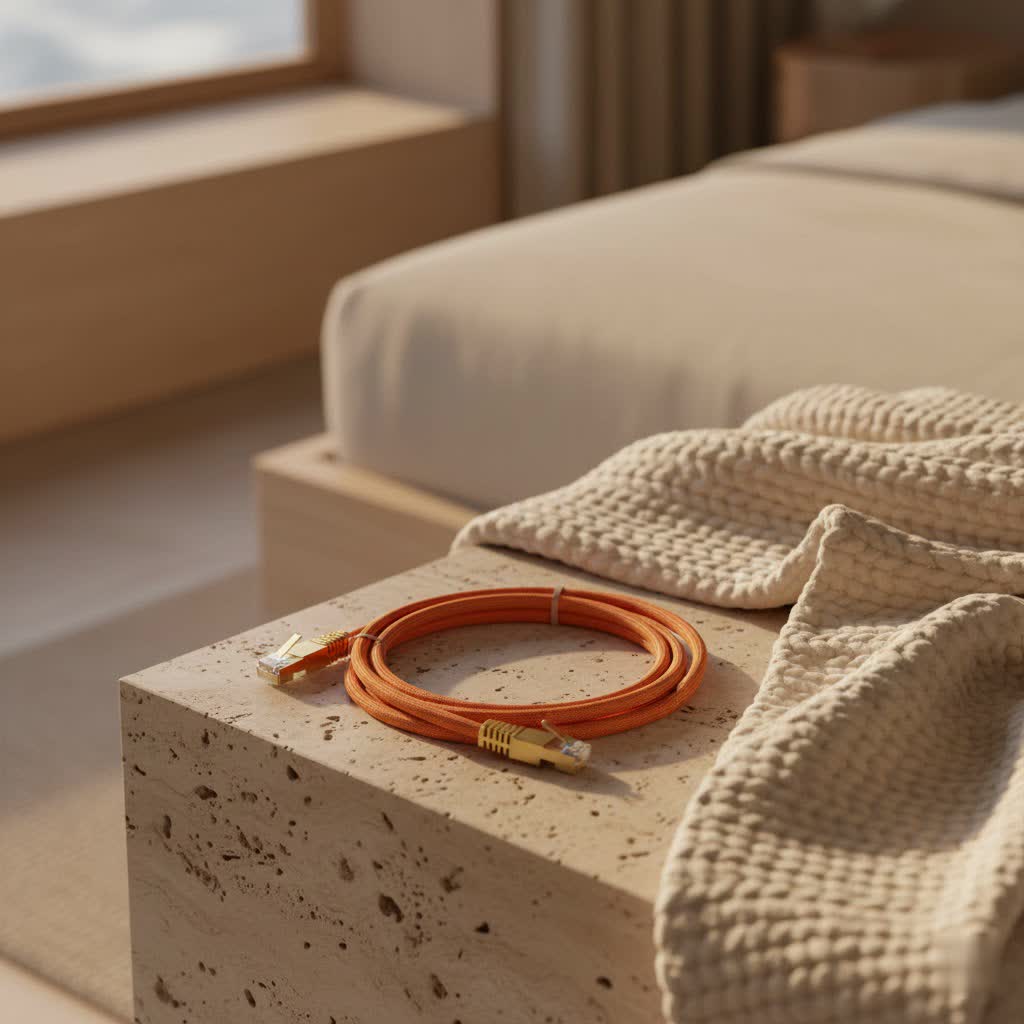
As experts in the field, we at SDCMT are here to tell you that a 75 ft Ethernet cable is often the perfect length for many common setups, offering a fantastic balance between reach and performance. It’s long enough to connect devices in different rooms or span a larger workspace without excessive slack, yet it’s well within the optimal performance ranges for most modern cable standards. This article will guide you through everything you need to know about choosing, installing, and maintaining your 75 ft Ethernet cable, ensuring you get the most out of your wired network.
Understanding Ethernet Cable Categories: A Quick Rundown
Have you ever wondered what all those “Cat” numbers on Ethernet cables actually mean? They’re not just random labels; they signify different categories, each with specific performance capabilities regarding speed, bandwidth, and resistance to interference. Understanding these categories is crucial when selecting any Ethernet cable, especially one like a 75 ft Ethernet cable, to ensure it meets your current and future networking demands.
What are the main types of Ethernet cables?
The main types of Ethernet cables, from older to newer, include Cat5e, Cat6, Cat6a, Cat7, and Cat8. Each category is designed to support different data transfer speeds and bandwidths over varying distances, with higher numbers generally indicating better performance and more advanced features. Choosing the right category ensures optimal network operation.
- Cat5e (Category 5e Enhanced): This is your everyday workhorse. Cat5e is widely used and provides reliable Gigabit Ethernet (1 Gbps) speeds, making it suitable for most home networks, general browsing, and HD streaming. Its maximum length for these speeds is 100 meters (328 feet).
- Cat6 (Category 6): A step up from Cat5e, Cat6 offers better performance with a higher bandwidth of 250 MHz. It supports 1 Gbps up to 100 meters, but it can also handle 10 Gigabit Ethernet (10 Gbps) speeds over shorter distances, typically up to 55 meters (180 feet).
- Cat6a (Category 6 Augmented): This is where 10 Gigabit Ethernet really shines over longer runs. Cat6a doubles the bandwidth of Cat6 to 500 MHz and can consistently deliver 10 Gbps speeds over the full 100-meter (328 feet) distance. It often features enhanced shielding to combat crosstalk and noise.
- Cat7 and Cat7a (Category 7 and 7 Augmented): These cables are designed for even higher performance, supporting 10 Gbps up to 100 meters with higher bandwidths (600 MHz for Cat7, 1000 MHz for Cat7a). They typically use individual shielding for each wire pair and overall shielding, making them excellent in environments with high electromagnetic interference.
- Cat8 (Category 8): The latest and greatest, Cat8 is built for data center applications, supporting blazing-fast 25 Gigabit (25GBASE-T) and 40 Gigabit (40GBASE-T) Ethernet speeds. However, these speeds are limited to much shorter distances, typically 30 meters (98 feet). For typical home or office use, Cat8 is usually overkill.
|
Our Picks for the Best Ethernet Cable in 2026
As an Amazon Associate I earn from qualifying purchases.
|
||
| Num | Product | Action |
|---|---|---|
| 1 | UGREEN Cat 8 Ethernet Cable 6FT, High Speed Braided 40Gbps 2000Mhz Network Cord Cat8 RJ45 Shielded Indoor Heavy Duty LAN Cables Compatible for Gaming PC PS5 Xbox Modem Router 6FT |

|
| 2 | Cat 8 Ethernet Cable 50 ft, 6ft 10ft 20ft 30ft 40ft 75ft 100ft 150ft Heavy Duty High Speed Internet Network Cable 26AWG 40Gbps 2000Mhz,Professional LAN Cable Shielded in Wall,Indoor&Outdoor |
|
| 3 | Amazon Basics RJ45 Cat 6 Ethernet Patch Cable, 10Gpbs High-Speed Cable, 250MHz, Snagless, 10 Foot, Black for Printer |
|
| 4 | Snowkids Cat 8 Ethernet Cable 15 FT, Strong Signal, High Speed 40Gbps 2000Mhz, Network Cord with RJ45 Internet Connector for TV/Printer/Computer/Modem/Router/ps-3/4/5, Braided Flat LAN Cable 15FT Grey |
|
| 5 | Amazon Basics 5-Pack RJ45 Cat 6 Ethernet Patch Cable, 10Gpbs High-Speed Cable, Gold-Plated, Snagless, 5 Foot, Multicolor |
|
| 6 | Jadaol Cat 6 Ethernet Cable 50 ft, 10Gbps Support Cat8 Cat7 Network, Flat RJ45 LAN Patch Cable, High-Speed Wired Internet Cable for Router, Modem, Switch, Gaming Consoles, PC, Streaming Devices, White |
|
| 7 | Vabogu Cat 8 Ethernet Cable, Heavy Duty High Speed Internet Network Cable, Multiple Size Options, 26AWG, 2000MHz 40Gbps with Gold Plated RJ45 Connectors, Shielded for Indoor & Outdoor Use, 6FT |
|
| 8 | Amazon Basics RJ45 Cat-6 Ethernet Patch Cable, 1Gpbs Transfer Speed, Gold-Plated Connectors, 50 Foot for PC, TV, Tablet, Router, Printer, Black |
|
| 9 | UGREEN Cat 8 Ethernet Cable 10FT, High Speed Braided 40Gbps 2000Mhz Network Cord Cat8 RJ45 Shielded Indoor Heavy Duty LAN Cables Compatible for Gaming PC PS5 Xbox Modem Router 10FT |
|
| 10 | Amazon Basics Cat 6 Ethernet RJ45 10Gbps Flat Cable 100 ft Outdoor&Indoor White Solid Patch Cord with Clips for Router, Modem, PS4/5, Xbox, Gaming, Computer Network for High Speed LAN Internet |
|
75 Feet: Is It Too Long for Your Ethernet Cable?
One of the most common questions we hear is whether running an Ethernet cable for 75 feet will cause a noticeable drop in performance. It’s a valid concern, especially if you’ve experienced flaky Wi-Fi signals over distance. Here’s the good news: for most modern Ethernet cable categories, a 75 ft run is perfectly fine and won’t significantly impact your connection speed or reliability.
The industry standard maximum length for most Ethernet cables (Cat5e, Cat6, Cat6a) before signal degradation becomes an issue is 100 meters, which is approximately 328 feet. Since 75 feet is only about 23 meters, it falls comfortably within this recommended limit. This means you can typically expect your 75 ft Ethernet cable to deliver its rated speed without any significant loss.
Does a 75 ft Ethernet cable lose speed?
Generally, no, a 75 ft Ethernet cable will not lose speed for common network applications. For speeds like 1 Gigabit per second (1 Gbps), a 75 ft run is well within the acceptable length for Cat5e and Cat6 cables. Even for 10 Gigabit speeds, a Cat6a cable can comfortably handle this distance without performance degradation.
However, there’s a nuance with Cat6 cables. While Cat6 supports 10 Gbps, it can only maintain this speed reliably up to 55 meters (180 feet). Beyond that, its performance drops to 1 Gbps. So, if your goal is 10 Gbps over 75 feet, you’ll want to opt for a Cat6a cable. For any speed up to 1 Gbps, a 75 ft Cat5e or Cat6 cable will perform admirably.
Comparing Ethernet Cable Standards: Speed, Bandwidth, and Distance
To help you visualize the differences and choose wisely for your 75 ft Ethernet cable, let’s break down the key specifications of the most relevant categories.
| Cable Category | Max Speed (Typical) | Max Length for 1 Gbps | Max Length for 10 Gbps | Bandwidth (Frequency) | Ideal Use Case for 75 ft |
|---|---|---|---|---|---|
| Cat5e | 1 Gbps | 100 meters (328 ft) | N/A (Does not support) | 100 MHz | Basic home networking, HD streaming |
| Cat6 | 10 Gbps | 100 meters (328 ft) | 55 meters (180 ft) | 250 MHz | Gaming, 4K streaming, standard office |
| Cat6a | 10 Gbps | 100 meters (328 ft) | 100 meters (328 ft) | 500 MHz | High-performance, future-proofing, dense networks |
| Cat7 / Cat7a | 10 Gbps | 100 meters (328 ft) | 100 meters (328 ft) | 600 MHz / 1000 MHz | Advanced data needs, high interference areas |
| Cat8 | 25/40 Gbps | N/A | 30 meters (98 ft) | 2000 MHz | Data centers, very short ultra-high speed links |
As you can see, for a 75 ft run, Cat5e is perfectly capable of handling 1 Gbps. Cat6 is also excellent for 1 Gbps and can even push 10 Gbps if your run were shorter than 55 meters. However, if your ambition is to achieve 10 Gbps over the full 75 feet, Cat6a is your go-to. Cat7 and Cat7a offer similar 10 Gbps performance at 75 feet but are often overkill for typical residential or small office environments due to their cost and stiffness, unless you’re in a highly noisy electromagnetic environment. Cat8, while impressive, is generally not needed for a 75 ft connection.
Choosing the Right 75 ft Ethernet Cable for Your Needs
Selecting the ideal 75 ft Ethernet cable boils down to your specific requirements and future aspirations. It’s about balancing current performance needs with potential upgrades down the line.
- For Home Use (General Browsing, HD Streaming): If you’re primarily connecting a smart TV, gaming console, or a PC for everyday tasks and HD streaming, a Cat5e or Cat6 75 ft Ethernet cable will serve you perfectly. They offer reliable Gigabit speeds, which is more than enough for most internet plans and local network traffic.
- For Gaming & High-Performance Streaming (4K, Competitive Gaming): Gamers and those streaming high-bitrate 4K content demand minimal latency and maximum throughput. A Cat6 75 ft Ethernet cable is an excellent choice here. It provides robust Gigabit speeds and better protection against crosstalk than Cat5e. If you’re serious about future-proofing or have a multi-gigabit internet connection, stepping up to a Cat6a cable would be a wise investment.
What is the best 75 ft Ethernet cable for gaming?
For gaming, a Cat6 cable is an excellent choice at 75 feet, providing reliable gigabit speeds and lower latency crucial for competitive play. If you’re looking to future-proof your setup for potential 10 Gigabit network upgrades or have a multi-gig internet connection, a Cat6a cable would be even better, as it handles 10 Gbps over the full 75-foot distance without issue.
- For Office/Small Business (VoIP, Large File Transfers): In a professional setting where multiple devices are connected, and large files are frequently transferred, Cat6 provides a solid backbone for 1 Gbps networks. For environments demanding higher bandwidth or with plans for 10 Gigabit switches and servers, Cat6a is the recommended standard. Its superior shielding helps maintain signal integrity in busier network environments.
- Future-Proofing Your Network: Even if your current internet plan is 1 Gbps or less, investing in a Cat6a 75 ft Ethernet cable is a smart move. It ensures your infrastructure is ready for faster internet speeds and network hardware that may become standard in the coming years, saving you the hassle and cost of re-cabling later.
- Solid Copper vs. CCA (Copper Clad Aluminum): Always, always choose cables made with 100% pure copper conductors. While CCA cables are cheaper, they are inferior in performance, especially over longer distances like 75 feet. CCA can lead to signal loss, increased resistance, and even pose fire hazards with Power over Ethernet (PoE) applications. Genuine copper cables ensure stable, reliable connections and adhere to industry standards.
Installation and Connection: Making Your 75 ft Run Smooth
Even the best 75 ft Ethernet cable won’t perform optimally if it’s not installed correctly. Proper installation ensures maximum speed, prevents damage, and keeps your network tidy and reliable.
- Plan Your Route Carefully: Before you even unroll the cable, map out the path. Measure the distance accurately, accounting for turns, bends, and any vertical runs. It’s always a good idea to add a little extra slack (a few feet) at each end for flexibility and future adjustments. Avoid routing cables near major electrical appliances or power lines, as this can introduce electromagnetic interference (EMI).
- Use Cable Management: A 75 ft cable can quickly become a tangled mess if not managed properly. Use cable ties, clips, or raceways to secure the cable along walls, under desks, or through ceilings. This not only keeps things neat but also protects the cable from accidental damage.
- Avoid Sharp Bends: Ethernet cables are not meant to be bent at sharp angles. Doing so can damage the internal wire pairs, leading to signal degradation and performance issues. Maintain a gentle curve at all corners. The general rule of thumb is that the bend radius should be at least four times the cable’s diameter.
- Proper Termination: If you’re custom-cutting and terminating your own cable, ensure you use high-quality RJ45 connectors and a reliable crimping tool. Follow either the T568A or T568B wiring standard consistently at both ends. Mismatched or poorly crimped wires are a common cause of network problems.
Common 75 ft Ethernet Cable Issues and How to Troubleshoot Them
Even with a well-chosen and carefully installed 75 ft Ethernet cable, occasional network hiccups can occur. Knowing how to diagnose and resolve common issues can save you a lot of frustration.
How do I fix slow internet with a long Ethernet cable?
If you’re experiencing slow internet speeds with a 75 ft Ethernet cable, first, thoroughly inspect the entire length of the cable for any physical damage such as kinks, cuts, or pinched sections. Next, ensure both ends of the cable are securely plugged into your devices and router/switch. Try connecting a shorter, known-good Ethernet cable to see if the problem persists, which can help isolate if the issue is with the cable itself. Finally, make sure your cable category (e.g., Cat6, Cat6a) is appropriate for the speeds you expect over a 75-foot distance, especially if you’re aiming for 10 Gigabit Ethernet.
- Reduced Speed/Intermittent Connection:
- Physical Damage: Visually inspect the entire length of your 75 ft Ethernet cable for any kinks, cuts, or tight bends. Even minor damage can affect signal integrity.
- Loose Connections: Ensure both ends of the cable are firmly seated in their respective ports on your devices and networking equipment. A loose connection can cause intermittent dropouts.
- Faulty Equipment: Test your connection with a different, shorter, known-good Ethernet cable. If the issue disappears, your 75 ft cable might be the culprit. If the problem persists, the issue could be with your network adapter, router, or switch.
- Outdated Firmware/Drivers: Make sure your router’s firmware and your computer’s network adapter drivers are up to date.
- No Connection:
- Cable Not Plugged In: This might seem obvious, but double-check that both ends of the 75 ft Ethernet cable are fully inserted. The RJ45 connector should “click” into place.
- Wrong Port: Ensure you’re plugging into an active Ethernet port on your router/switch, not a WAN or inactive port.
- Cable Tester: For more advanced troubleshooting, a basic Ethernet cable tester can quickly identify if there’s a break in one of the wire pairs or a faulty termination.
Maximizing Longevity: Tips for Maintaining Your Ethernet Cable
A 75 ft Ethernet cable, when properly cared for, can provide years of reliable service. A little preventative maintenance goes a long way.
- Avoid Physical Stress: Do your best to prevent the cable from being stepped on, crushed by furniture, or chewed by pets. If routing through high-traffic areas, consider using cable protectors or raceways.
- Protect from Environmental Elements: If any portion of your 75 ft Ethernet cable runs outdoors, ensure it’s an outdoor-rated cable (e.g., direct burial, UV-resistant jacket). Standard indoor cables will degrade rapidly when exposed to sun, rain, and extreme temperatures.
- Regular Visual Inspection: Periodically check the cable for any signs of wear and tear, especially if it’s in an exposed location. Look for frayed jackets, exposed wires, or damaged connectors.
- Proper Coiling and Storage: If you ever need to coil your 75 ft Ethernet cable for temporary storage or relocation, do so in large, loose loops rather than tight coils. Tight coiling can induce memory in the cable and stress the internal conductors.
“Many people worry about long Ethernet runs, but 75 feet is truly a sweet spot where you get ample reach without hitting any performance bottlenecks, provided you choose the right category cable. It’s about empowering your network, not limiting it.” – Mark Jensen, Senior Network Engineer at SDCMT.
Frequently Asked Questions
Q: Will a 75 ft Cat5e cable work for gigabit internet?
A: Yes, a 75 ft Cat5e cable can reliably deliver Gigabit Ethernet (1 Gbps) speeds, as its maximum specified length for 1 Gbps is 100 meters (328 feet). It’s a cost-effective option for most residential gigabit connections.
Q: Is Cat8 necessary for a 75 ft run?
A: No, Cat8 is largely overkill for a 75 ft run in typical home or office environments. It’s designed for extremely short distances (up to 30 meters) for 25/40 Gbps in data centers. For high-speed needs at 75 feet, a Cat6a cable is more than sufficient and a much more practical choice.
Q: Can I use a 75 ft Ethernet cable outdoors?
A: If running any part of your 75 ft Ethernet cable outdoors, you must use an outdoor-rated Ethernet cable (e.g., direct burial or UV-resistant jacket) to protect it from environmental elements, moisture, and degradation. Standard indoor cables are not suitable for outdoor use and will fail prematurely.
Q: What’s the main benefit of a 75 ft Ethernet cable over Wi-Fi?
A: A 75 ft Ethernet cable offers a more stable, faster, and more secure connection compared to Wi-Fi. It eliminates wireless interference, provides lower latency (critical for gaming and video conferencing), and generally offers higher sustained speeds, leading to a more consistent and reliable online experience.
Q: How does crosstalk affect a 75 ft Ethernet cable?
A: Crosstalk, which is signal interference between adjacent wire pairs within the cable, can degrade network performance, especially over longer distances. Higher category cables like Cat6 and Cat6a are specifically designed with tighter twists and often additional shielding to minimize crosstalk, ensuring better signal integrity and consistent performance over a 75 ft run.
Conclusion
Choosing the right 75 ft Ethernet cable is a straightforward decision once you understand the different categories and your specific needs. This length is incredibly versatile, offering ample reach for most homes and offices without sacrificing speed or reliability. By opting for a quality cable, preferably 100% pure copper, and installing it thoughtfully, you’re investing in a stable, fast, and secure network backbone. Don’t let distance be a barrier to peak performance; equip your network with the right 75 ft Ethernet cable, and enjoy a seamless online experience that keeps you connected, productive, and entertained.
