In our increasingly connected world, where every millisecond counts and reliable internet is no longer a luxury but a necessity, the humble Ethernet cable remains the unsung hero of stable and fast network connections. While wireless technologies have made incredible strides, a wired connection offers unparalleled stability, speed, and low latency, especially for crucial activities like online gaming, video conferencing, or handling large data transfers in a home office.
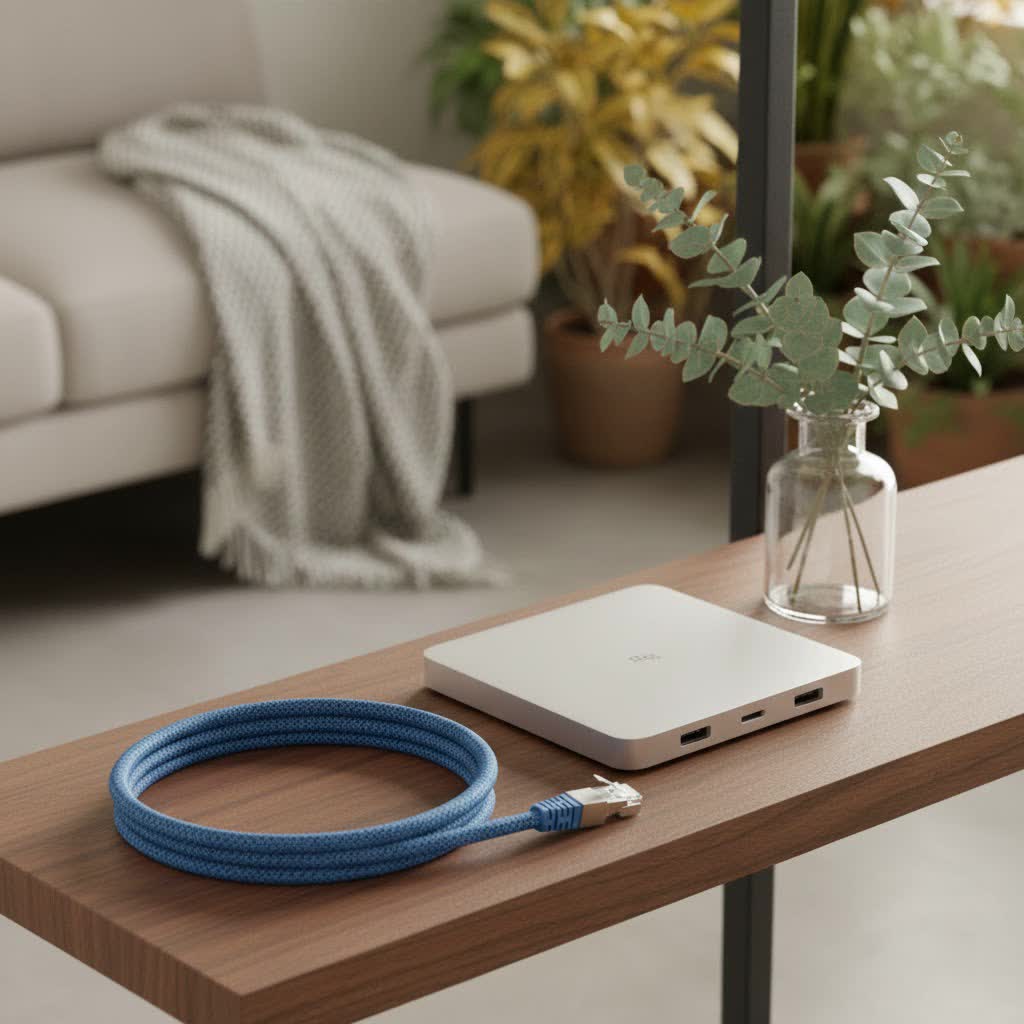
Among the myriad of cable lengths and categories available, the 25 Feet Ethernet Cable stands out as a sweet spot for countless applications. It’s long enough to connect devices across a room or to a nearby office, yet short enough to avoid the potential complexities and costs associated with longer runs. Here at SDCMT.com, we’re dedicated to demystifying the technical world of Ethernet, helping you confidently choose, install, and maintain the perfect cable for your needs.
Why 25 Feet? The Sweet Spot for Wired Connections
When it comes to network cabling, length matters, but not always in the way you might think. For many common setups, a 25-foot Ethernet cable hits a genuine sweet spot. This length offers several significant advantages that make it an ideal choice for a wide array of users.
First and foremost, a 25-foot cable is perfectly suited for connecting devices within the same room or an adjacent one to your router or switch. Think about it: your gaming PC might be a few feet from your router, or your smart TV needs a direct link for seamless 4K streaming. This manageable length means you can easily bridge that distance without resorting to complex wiring solutions or expensive network extenders, which can introduce their own issues.
Secondly, and perhaps most crucially, at just 25 feet (or roughly 7.6 meters), signal degradation is virtually a non-issue for any modern Ethernet cable category. Most Ethernet standards are designed to perform optimally up to 100 meters (about 328 feet). Within a 25-foot span, you’re operating well within the maximum performance envelope of even older categories like Cat5e, let alone the more advanced Cat6 or Cat7 cables. This ensures you’re getting the absolute best speed and most reliable data transmission your network hardware can offer.
“For most home users, a 25-foot Cat6 cable strikes the perfect balance between performance and cost-effectiveness. It’s robust enough for gaming and reliable for everyday use without breaking the bank,” notes Dr. Anya Sharma, a seasoned Network Architect.
Compared to Wi-Fi, a wired 25-foot Ethernet connection provides superior stability and lower latency, translating to a smoother and more responsive online experience. There’s no interference from other devices, no unexpected signal drops, and a direct pipeline for your data, making it a foundation for a truly dependable network.
Decoding Ethernet Cable Categories: What a 25-Foot Cable Can Do
Understanding the different Ethernet cable categories is key to making an informed decision, even for a common 25-foot length. Each “Cat” rating signifies a specific set of performance standards regarding speed, bandwidth, and crosstalk prevention.
What are Ethernet Cable Categories?
|
Our Picks for the Best Ethernet Cable in 2026
As an Amazon Associate I earn from qualifying purchases.
|
||
| Num | Product | Action |
|---|---|---|
| 1 | UGREEN Cat 8 Ethernet Cable 6FT, High Speed Braided 40Gbps 2000Mhz Network Cord Cat8 RJ45 Shielded Indoor Heavy Duty LAN Cables Compatible for Gaming PC PS5 Xbox Modem Router 6FT |

|
| 2 | Amazon Basics Cat 6 Ethernet RJ45 10Gbps Flat Cable 100 ft Outdoor&Indoor White Solid Patch Cord with Clips for Router, Modem, PS4/5, Xbox, Gaming, Computer Network for High Speed LAN Internet |
|
| 3 | Cat 8 Ethernet Cable 50 ft, 6ft 10ft 20ft 30ft 40ft 75ft 100ft 150ft Heavy Duty High Speed Internet Network Cable 26AWG 40Gbps 2000Mhz,Professional LAN Cable Shielded in Wall,Indoor&Outdoor |
|
| 4 | Jadaol Cat 6 Ethernet Cable 50 ft, 10Gbps Support Cat8 Cat7 Network, Flat RJ45 LAN Patch Cable, High-Speed Wired Internet Cable for Router, Modem, Switch, Gaming Consoles, PC, Streaming Devices, White |
|
| 5 | Snowkids Cat 8 Ethernet Cable 15 FT, Strong Signal, High Speed 40Gbps 2000Mhz, Network Cord with RJ45 Internet Connector for TV/Printer/Computer/Modem/Router/ps-3/4/5, Braided Flat LAN Cable 15FT Grey |
|
| 6 | Amazon Basics RJ45 Cat 6 Ethernet Patch Cable, 10Gpbs High-Speed Cable, 250MHz, Snagless, 10 Foot, Black for Printer |
|
| 7 | Amazon Basics 5-Pack RJ45 Cat 6 Ethernet Patch Cable, 10Gpbs High-Speed Cable, Gold-Plated, Snagless, 5 Foot, Multicolor |
|
| 8 | UGREEN Cat 8 Ethernet Cable 10FT, High Speed Braided 40Gbps 2000Mhz Network Cord Cat8 RJ45 Shielded Indoor Heavy Duty LAN Cables Compatible for Gaming PC PS5 Xbox Modem Router 10FT |
|
| 9 | Amazon Basics RJ45 Cat-6 Ethernet Patch Cable, 1Gpbs Transfer Speed, Gold-Plated Connectors, 50 Foot for PC, TV, Tablet, Router, Printer, Black |
|
| 10 | Vabogu Cat 8 Ethernet Cable, Heavy Duty High Speed Internet Network Cable, Multiple Size Options, 26AWG, 2000MHz 40Gbps with Gold Plated RJ45 Connectors, Shielded for Indoor & Outdoor Use, 6FT |
|
Ethernet cables are categorized (Cat) based on their performance capabilities. Higher category numbers generally mean better performance in terms of maximum data transfer speed (measured in Gigabits per second, Gbps) and bandwidth (measured in Megahertz, MHz), which dictates how much data can pass through the cable simultaneously.
Cat5e: The Cost-Effective Workhorse
What is Cat5e? Cat5e (Category 5 enhanced) is a widespread and economical choice, supporting Gigabit Ethernet (1 Gbps) at frequencies up to 100 MHz. It’s an improvement over the older Cat5, specifically designed to reduce crosstalk (interference between wire pairs).
25-foot performance: For a 25-foot run, a Cat5e cable delivers excellent performance for everyday home and office tasks. It’s perfectly capable of handling 1 Gigabit per second connections, making it ideal for standard internet browsing, streaming high-definition content, and casual online gaming. If your internet service provider (ISP) offers speeds up to 1 Gbps, a 25-foot Cat5e cable will typically meet that speed without any issues.
Cat6: The Modern Standard
What is Cat6? Cat6 cables offer a significant step up from Cat5e. They support 1 Gigabit Ethernet up to 100 meters and can even handle 10 Gigabit Ethernet (10 Gbps) over shorter distances, specifically up to 55 meters (180 feet). Cat6 operates at higher frequencies, typically up to 250 MHz, and features tighter twists and often a separator to further reduce crosstalk.
25-foot performance: This is where a 25-foot Cat6 cable truly shines. It’s an incredibly versatile choice, delivering full 1 Gigabit speeds over its entire length and easily supporting 10 Gigabit speeds for your local network at this short distance. If you’re into serious online gaming, running a demanding home office, or simply want to future-proof your network without breaking the bank, Cat6 is often the optimal choice. Its enhanced performance provides a more robust and reliable connection, especially if you have multiple devices demanding bandwidth.
Cat6a: Enhanced Performance for Longer 10 Gigabit Runs
What is Cat6a? Cat6a (Category 6 augmented) builds upon the Cat6 standard by doubling the operating frequency to 500 MHz and extending 10 Gigabit Ethernet speeds to the full 100-meter (328 feet) distance. These cables are typically thicker due to additional shielding, which further reduces interference.
25-foot performance: While a 25-foot Cat6 cable can already handle 10 Gbps, a Cat6a offers an even more robust and stable 10 Gigabit performance, especially in environments prone to electromagnetic interference (EMI). If you’re setting up a professional-grade home studio, working with massive data files, or future-proofing for even higher network demands, a 25-foot Cat6a ensures maximum throughput and reliability.
Cat7 & Cat7a: High-End Shielding and Bandwidth
What are Cat7 and Cat7a? Cat7 cables support 10 Gigabit Ethernet up to 100 meters with a bandwidth of 600 MHz. Cat7a further boosts bandwidth to 1000 MHz. A key distinguishing feature of Cat7 and Cat7a is their extensive shielding, with individual wire pairs often shielded, providing superior resistance to external interference and crosstalk.
25-foot performance: For most typical home or small office scenarios, a 25-foot Cat7 or Cat7a cable is generally considered overkill. The performance benefits over Cat6a for a 25-foot run are often marginal in a non-interference-heavy environment, especially given their higher cost and rigidity. However, if you’re in an industrial setting, a highly electromagnetically noisy area, or simply have an unlimited budget for ultimate future-proofing, they certainly provide top-tier performance at this length.
Cat8: Pushing the Limits for Data Centers (and Beyond)
What is Cat8? Cat8 is the latest Ethernet standard, designed for ultra-high-speed data center applications. It supports mind-boggling speeds of 25 Gbps or even 40 Gbps, but over very short distances – up to 30 meters (98 feet). It operates at an incredible 2000 MHz bandwidth.
25-foot performance: A 25-foot Cat8 cable offers the absolute highest performance currently available in copper Ethernet. However, for a home or typical office network, it’s vastly beyond what current consumer-grade internet speeds or networking hardware can even utilize. Its primary application remains server-to-server connections and high-performance data centers. Unless you’re building a miniature data center in your spare room, a Cat8 cable for 25 feet is likely an unnecessary expense.
Choosing Your Perfect 25-Foot Ethernet Cable
Selecting the right 25-foot Ethernet cable doesn’t have to be complicated. It’s about balancing your current needs, budget, and future aspirations.
Matching Cable to Need:
Internet Speed:
Don’t get caught in the “faster is always better” trap if your ISP speed is the bottleneck. If you’re paying for 100 Mbps internet, even a Cat5e cable will deliver that speed flawlessly over 25 feet. Upgrading to Cat6 or Cat7 won’t magically make your internet faster than what your ISP provides.
Application:
- Home Use/Basic Office: For general internet browsing, email, streaming video, and typical office tasks, a Cat5e or Cat6 cable at 25 feet is more than sufficient. You’ll get reliable Gigabit speeds without overspending.
- Gaming/High-Performance Home Office: If you’re a serious gamer, run multiple 4K streams, or frequently transfer large files for work, a Cat6 or Cat6a cable is your best bet for a 25-foot run. These offer superior bandwidth and lower latency compared to Wi-Fi, which can make a noticeable difference in competitive online gaming. “Many top-tier gamers opt for Cat6 or Cat6a due to their excellent balance of speed, low latency, and cost-effectiveness for runs under 100 feet,” advises David Chen, Senior Network Engineer at SDCMT.
- Future-Proofing: If you anticipate upgrading your network hardware to 2.5 Gbps or even 10 Gbps in the near future, a Cat6a cable for your 25-foot connection is a smart investment. It handles 10 Gbps over its entire length, ensuring you’re ready for faster speeds when they arrive.
Device Compatibility:
Remember that your overall network speed is only as fast as its slowest component. If your router and devices only support 1 Gigabit Ethernet, even a Cat8 cable will only perform at 1 Gigabit. Always check your hardware specifications to ensure you can actually utilize the higher speeds offered by more advanced cables.
Shielded vs. Unshielded (UTP/STP):
- UTP (Unshielded Twisted Pair): This is the most common type for home and office environments. For a 25-foot run in a typical setting, UTP cables are generally sufficient as there’s usually not enough electromagnetic interference (EMI) to cause significant issues. They are also more flexible and less expensive.
- STP (Shielded Twisted Pair): Shielded cables (like F/UTP, S/FTP, or U/FTP) offer additional protection against EMI from sources like fluorescent lights, power cables, or heavy machinery. If your 25-foot cable needs to run near electrical conduits, motors, or in an industrial environment, an STP cable might be beneficial to prevent signal degradation. However, shielding requires proper grounding to be effective.
Connector Quality and Durability:
- RJ45 Connectors: Ensure the cable comes with high-quality RJ45 connectors. Gold-plated contacts offer better conductivity and corrosion resistance over time.
- Snagless Design: Many patch cables feature a “snagless” boot on the connector to protect the locking tab from breaking off when pulled through tight spaces or when plugging/unplugging, making installation and management easier.
- Durability and Materials: Look for cables with a robust PVC (Polyvinyl Chloride) jacket that can withstand wear and tear. Cables made with pure bare copper conductors generally offer better performance and durability than those with Copper Clad Aluminum (CCA) wires. CCA cables are cheaper but are more prone to signal loss and breakage.
Setting Up Your 25-Foot Ethernet Cable: Installation Tips
Installing a 25-foot Ethernet cable is typically straightforward, but a few best practices can ensure optimal performance and longevity.
Planning the Route:
Before you even unpackage your cable, plan its route. This short length makes routing much simpler than long runs.
- Avoid Electrical Wires: Try to run your Ethernet cable away from power lines and electrical conduits to minimize potential electromagnetic interference.
- Mind the Bends: Avoid sharp 90-degree bends, as these can stress the internal wires and potentially degrade signal quality. Gentle curves are always better.
- Protect from Kinks: Be careful not to kink the cable, especially when pulling it through tight spots or around furniture. Kinks can permanently damage the internal conductors.
Tools (if making custom cables):
If you’re making your own custom 25-foot cable (perhaps from a bulk spool), you’ll need:
- Wire Cutters and Strippers: For cleanly cutting the cable and carefully removing the outer insulation without damaging the twisted pairs inside.
- RJ45 Connectors: Ensure they match your cable category (e.g., Cat6 connectors for Cat6 cable).
- Crimping Tool: To securely attach the RJ45 connectors to the cable ends.
- Cable Tester: An essential tool to verify continuity and proper wiring (T568A or T568B standard) after crimping. It’s much easier to fix a faulty connection before you’ve hidden the cable away!
Connecting:
Simply plug one end of the RJ45 connector into the Ethernet port on your device (computer, console, TV) and the other end into an available LAN port on your router, switch, or wall jack. Ensure both connections click securely into place.
Cable Management:
Even for a 25-foot cable, good cable management is vital. Use cable ties, clips, or sleeves to keep the cable tidy and prevent it from becoming a tripping hazard or getting accidentally damaged. A well-managed cable run looks professional and extends the life of your equipment.
Troubleshooting Common Ethernet Cable Issues
Even the most reliable wired connections can occasionally encounter hiccups. Here are some common issues you might face with your 25-foot Ethernet cable and how to troubleshoot them:
No Connection:
- Check Physical Connections: This might seem obvious, but always start by ensuring both ends of the Ethernet cable are fully and securely plugged into their respective ports (on your device and router/switch). A loose connection is a frequent culprit.
- Try a Different Port: If the cable is connected, but you have no internet access, try plugging the Ethernet cable into a different LAN port on your router or switch. It’s possible one of the ports is faulty.
- Try a Different Cable: If you have another Ethernet cable handy, swap it in. This quickly tells you if the problem lies with the cable itself or with the devices.
- Check Network Settings: On your computer, ensure your Ethernet adapter is enabled and that Wi-Fi isn’t prioritized over the wired connection. You can usually find these settings in your operating system’s network configuration.
Slow Speeds:
- Verify Cable Category vs. Network Speed: While a 25-foot cable is short, ensure you’re using an appropriate category for your desired speed. If you’re paying for Gigabit internet but using an ancient Cat5 cable (not Cat5e), you might not get full speed. However, with modern Cat5e or Cat6, this is rarely an issue at 25 feet.
- Check for Kinks or Damage: Inspect the entire length of the cable for any visible kinks, cuts, or severe bends. Internal wire damage can lead to reduced performance or intermittent connectivity.
- Test with a Cable Tester: If you suspect internal damage or a faulty crimp on a custom-made cable, an Ethernet cable tester can identify exactly which wire pairs are not functioning correctly.
Intermittent Connection:
An on-again, off-again connection can be incredibly frustrating.
- Loose Connections: Re-seat the cable firmly in both ports.
- Damaged Cable: Just like with slow speeds, physical damage can lead to intermittent connections.
- External Interference: Though less common for a short 25-foot run, if the cable is running very close to high-power electrical equipment, interference could be a factor. Consider re-routing the cable or opting for a shielded version if this is the case.
Extending the Life of Your 25-Foot Cable: Maintenance Tips
Ethernet cables are durable, but a little care goes a long way in ensuring they last for years.
- Avoid Sharp Bends and Excessive Pulling: Treat your cables gently. Don’t yank them out by the cable itself; always grasp the connector.
- Keep Connectors Clean: Dust and debris can accumulate in RJ45 ports and on connectors, potentially impacting connectivity.
- Store Coiled, Not Tangled: When not in use, coil your cable neatly rather than tangling it. This prevents kinks and makes it easier to use next time.
- Protect from Pets and Physical Damage: Pets love to chew on cables! Keep them out of reach, and ensure cables aren’t in high-traffic areas where they could be stepped on or crushed by furniture.
Expert Insights: What the Pros Say
At SDCMT, we believe in practical advice straight from the field.
“While Cat7 and Cat8 offer impressive specs, their true benefits often manifest in very specific, high-demand environments. Don’t fall into the trap of over-cabling for typical residential setups; focus on a quality Cat6 or Cat6a for a 25-foot run. It’s about smart engineering, not just maximum numbers,” says Mr. David Chen, Senior Network Engineer at SDCMT.
Frequently Asked Questions (FAQ)
Q: Does a 25-foot Ethernet cable lose speed?
A: No, a 25-foot Ethernet cable will not lose speed. All modern Ethernet cable categories (Cat5e, Cat6, Cat6a, Cat7, Cat8) are designed to transmit data at their maximum rated speeds over distances far exceeding 25 feet, typically up to 100 meters (328 feet) for Gigabit speeds. This length is well within optimal performance limits.
Q: Is Cat6 necessary for a 25-foot run?
A: Cat6 is not strictly “necessary” for a 25-foot run if your internet speed is 1 Gbps or less and you’re not planning future upgrades. A quality Cat5e cable will perform just as well at 1 Gbps over this distance. However, Cat6 offers better future-proofing and more robust performance, especially for 10 Gigabit local networks, making it a highly recommended choice.
Q: Can I use a 25-foot Ethernet cable for outdoor use?
A: You can use specific types of 25-foot Ethernet cables for outdoor use, but they must be rated for direct burial or outdoor environments. These cables have a more durable, weather-resistant jacket to protect against UV rays, moisture, and extreme temperatures. Standard indoor Ethernet cables will quickly degrade if used outdoors.
Q: How do I test my 25-foot Ethernet cable?
A: The most reliable way to test your 25-foot Ethernet cable is with a dedicated Ethernet cable tester. These devices check for continuity on all eight wires, proper wiring configuration (T568A or T568B), and can identify breaks, shorts, or miswires. For basic connectivity, plugging it into working devices can give you an indication.
Q: What’s the best 25-foot Ethernet cable for gaming?
A: For gaming, a 25-foot Cat6 or Cat6a Ethernet cable is generally considered the best choice. These categories provide ample speed (1 Gbps up to 10 Gbps for Cat6, full 10 Gbps for Cat6a) and bandwidth, ensuring low latency and a stable connection that’s superior to Wi-Fi. Cat7 or Cat8 are typically overkill for gaming, as their additional performance benefits are rarely utilized by current gaming hardware or internet speeds.
Conclusion
Choosing the right Ethernet cable is a small decision that can have a huge impact on your network’s performance and your daily digital life. For many common setups, the 25-foot Ethernet cable stands out as a versatile and high-performing option, offering an ideal balance of length and capability. By understanding the different categories, matching your cable to your specific needs, and following a few simple installation and maintenance tips, you can ensure a fast, stable, and reliable wired connection for years to come.
Empower your network today. Explore more in-depth guides and expert insights at SDCMT.com – your trusted resource for all things Ethernet.
