Hello there, fellow network enthusiasts! As a seasoned expert with over a decade in the trenches of network cabling, and as the official content creator for SDCMT.com, I’ve seen countless installations, upgrades, and troubleshooting scenarios. Today, we’re diving deep into a true workhorse of the networking world: the Cat5e Ethernet Cable. Often overlooked in favor of newer, flashier options, the Cat5e still holds its own as a reliable, cost-effective solution for a vast array of networking needs. Let’s peel back the layers and understand why this cable continues to be a cornerstone of modern connectivity.
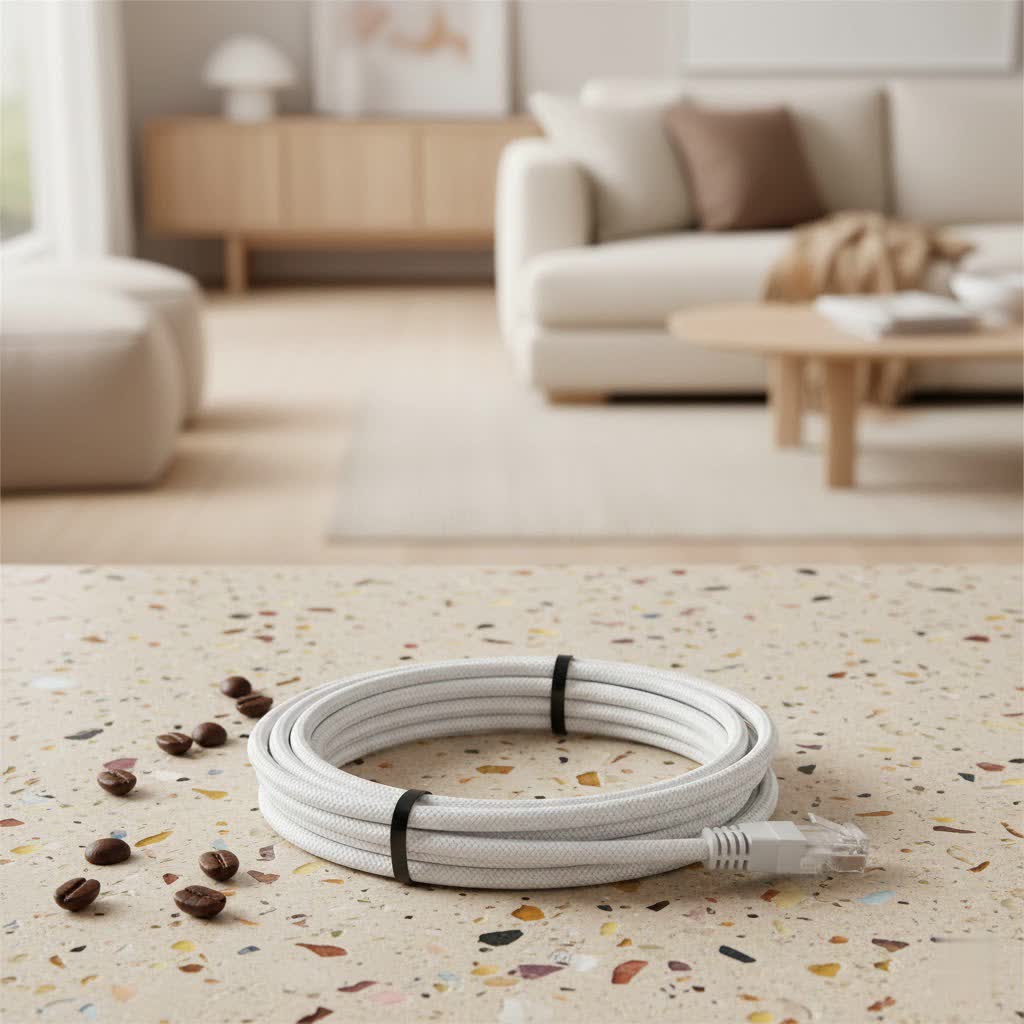
What Exactly is Cat5e Ethernet Cable?
At its heart, a Cat5e Ethernet cable is simply an enhanced version of the older Category 5 (Cat5) standard. The “e” stands for “enhanced,” and it’s a subtle yet significant upgrade that propelled networking into the gigabit era. Designed to minimize crosstalk—the undesirable signal interference between adjacent wire pairs—Cat5e brought greater signal integrity and performance.
So, what are we talking about in terms of raw capability? A standard Cat5e Ethernet cable is engineered to reliably support data transfer speeds of up to 1 Gigabit per second (Gbps), which translates to 1000 Megabits per second (Mbps). It operates efficiently at a bandwidth of 100 MHz. This combination makes it perfectly capable of handling the demands of most residential and small business networks. Critically, it can maintain this performance over distances up to 100 meters (approximately 328 feet), providing ample reach for many installations without signal degradation.
Voice search response: What does Cat5e stand for?
Cat5e stands for Category 5 Enhanced, an improved version of Cat5 cable designed for better performance and reduced signal interference, primarily supporting Gigabit Ethernet speeds.
Cat5e vs. The Ethernet Cable Family: Where Does It Stand?
When you’re looking at network cables, you’ll encounter a family of categories: Cat5e, Cat6, Cat6a, Cat7, and Cat8. Each represents an evolution, offering different levels of speed, bandwidth, and interference protection. Understanding their distinctions is key to making an informed choice.
Let’s take a look at how Cat5e stacks up against its common counterparts:
| Cable Type | Maximum Speed | Maximum Bandwidth | Max Length (Full Speed) | Typical Use Case |
|---|---|---|---|---|
| Cat5e | 1 Gbps | 100 MHz | 100 meters | Home/Small Office, VoIP, Streaming |
| Cat6 | 1 Gbps (10 Gbps up to 55m) | 250 MHz | 100 meters (1 Gbps) | Business Networks, HD Streaming, Gaming |
| Cat6a | 10 Gbps | 500 MHz | 100 meters | Data Centers, High-Performance Networks |
| Cat7 | 10 Gbps | 600 MHz | 100 meters | Secured Networks, Professional A/V |
| Cat8 | 25/40 Gbps | 2000 MHz | 30 meters | Data Centers, Server-to-Server |
Voice search response: How does Cat5e compare to Cat6?
Cat5e reliably supports 1 Gbps over 100 meters at 100 MHz, while Cat6 also supports 1 Gbps over 100 meters but can achieve 10 Gbps over shorter distances (up to 55 meters) with a higher bandwidth of 250 MHz and better interference reduction.
Cat5e vs. Cat6: A Closer Look
When comparing Cat5e and Cat6, it’s like choosing between a dependable, efficient sedan and a high-performance sports car. Both get you to your destination, but one offers a bit more headroom and zip.
- Crosstalk and Interference: While Cat5e significantly improved crosstalk reduction over Cat5, Cat6 cables go a step further. They are built with more stringent specifications to minimize both near-end crosstalk (NEXT) and alien crosstalk (ANEXT), often featuring a physical spline or tighter twists to separate wire pairs. This makes Cat6 more robust in environments with higher electromagnetic interference.
- Construction: Cat6 cables often have slightly thicker copper conductors (e.g., 23 AWG vs. Cat5e’s 24 AWG, where a lower AWG means a thicker wire). This not only contributes to better signal integrity but also allows for improved heat dissipation, a notable benefit if you’re using Power over Ethernet (PoE) devices.
- Cost-Effectiveness: Here’s where Cat5e shines for many users. It’s generally more affordable than Cat6, making it an excellent choice for budget-conscious projects or when the added capabilities of Cat6 aren’t strictly necessary.
- Future-Proofing: If you’re building a network from scratch today and anticipate future upgrades to multi-gigabit internet speeds (beyond 1 Gbps), or if you frequently transfer extremely large files locally, Cat6 might offer better future-proofing for certain segments of your network. However, for typical internet usage and local network traffic in most homes and small businesses, a Cat5e Ethernet cable delivers performance that matches or even exceeds the capabilities of most internet service provider connections and standard networking equipment.
|
Our Picks for the Best Ethernet Cable in 2026
As an Amazon Associate I earn from qualifying purchases.
|
||
| Num | Product | Action |
|---|---|---|
| 1 | UGREEN Cat 8 Ethernet Cable 10FT, High Speed Braided 40Gbps 2000Mhz Network Cord Cat8 RJ45 Shielded Indoor Heavy Duty LAN Cables Compatible for Gaming PC PS5 Xbox Modem Router 10FT |

|
| 2 | Amazon Basics RJ45 Cat 6 Ethernet Patch Cable, 10Gpbs High-Speed Cable, 250MHz, Snagless, 10 Foot, Black for Printer |
|
| 3 | Amazon Basics 5-Pack RJ45 Cat 6 Ethernet Patch Cable, 10Gpbs High-Speed Cable, Gold-Plated, Snagless, 5 Foot, Multicolor |
|
| 4 | Amazon Basics Cat 6 Ethernet RJ45 10Gbps Flat Cable 100 ft Outdoor&Indoor White Solid Patch Cord with Clips for Router, Modem, PS4/5, Xbox, Gaming, Computer Network for High Speed LAN Internet |
|
| 5 | Vabogu Cat 8 Ethernet Cable, Heavy Duty High Speed Internet Network Cable, Multiple Size Options, 26AWG, 2000MHz 40Gbps with Gold Plated RJ45 Connectors, Shielded for Indoor & Outdoor Use, 6FT |
|
| 6 | UGREEN Cat 8 Ethernet Cable 6FT, High Speed Braided 40Gbps 2000Mhz Network Cord Cat8 RJ45 Shielded Indoor Heavy Duty LAN Cables Compatible for Gaming PC PS5 Xbox Modem Router 6FT |
|
| 7 | Amazon Basics RJ45 Cat-6 Ethernet Patch Cable, 1Gpbs Transfer Speed, Gold-Plated Connectors, 50 Foot for PC, TV, Tablet, Router, Printer, Black |
|
| 8 | Jadaol Cat 6 Ethernet Cable 50 ft, 10Gbps Support Cat8 Cat7 Network, Flat RJ45 LAN Patch Cable, High-Speed Wired Internet Cable for Router, Modem, Switch, Gaming Consoles, PC, Streaming Devices, White |
|
| 9 | Snowkids Cat 8 Ethernet Cable 15 FT, Strong Signal, High Speed 40Gbps 2000Mhz, Network Cord with RJ45 Internet Connector for TV/Printer/Computer/Modem/Router/ps-3/4/5, Braided Flat LAN Cable 15FT Grey |
|
| 10 | Cat 8 Ethernet Cable 50 ft, 6ft 10ft 20ft 30ft 40ft 75ft 100ft 150ft Heavy Duty High Speed Internet Network Cable 26AWG 40Gbps 2000Mhz,Professional LAN Cable Shielded in Wall,Indoor&Outdoor |
|
Choosing the Right Cat5e Ethernet Cable for Your Needs
So, when is a Cat5e Ethernet cable the perfect fit for your setup? More often than you might think!
- Home Networks: For everyday internet browsing, streaming 4K videos, running smart home devices, and general file sharing, Cat5e provides all the speed and reliability you need. Most home internet connections today are 1 Gbps or less, making Cat5e a perfect match.
- Small Office Setups: Similar to home use, small offices that don’t deal with massive, constant data transfers between local servers will find Cat5e more than capable. It’s ideal for connecting workstations, VoIP phones, and printers to the network.
- Gaming: This is a common question! Is Cat5e good for gaming? Absolutely. Online gaming primarily relies on low latency and a stable connection, and Cat5e delivers consistent Gigabit Ethernet speeds, which is more than sufficient. The bottleneck for gaming performance is almost always your internet service provider’s speed, not your local Cat5e cable.
- Budget-Conscious Projects: If you’re looking to upgrade an older Cat5 network or set up a new network without overspending, Cat5e offers an unbeatable balance of performance and affordability.
It’s crucial, however, to ensure you’re purchasing quality cables from reputable manufacturers. A poorly constructed Cat5e cable, regardless of its category rating, won’t deliver reliable performance. Always look for certifications and reviews to ensure you’re getting a product that meets industry standards.
Voice search response: Is Cat5e good for gaming?
Yes, Cat5e is generally sufficient for gaming, as it reliably supports Gigabit Ethernet speeds (1 Gbps), which is more than enough for most online gaming and typical internet connections.
Installing Your Cat5e Ethernet Cable Like a Pro
Even the best Cat5e Ethernet cable won’t perform optimally if it’s not installed correctly. Proper installation ensures maximum speed, minimal interference, and long-term reliability.
Here are the general principles to follow:
- Plan Your Route: Before you start, map out where your cables will run. Avoid sources of electromagnetic interference (EMI) like power lines, fluorescent lights, and large electrical appliances.
- Measure Carefully: Don’t run cables that are excessively long, but also ensure you have enough slack to avoid pulling or stretching the cable tightly. Remember the 100-meter limit.
- Avoid Sharp Bends and Kinks: Ethernet cables are made of twisted pairs. Bending them too sharply (typically less than a 1-inch radius) can distort these twists, leading to increased crosstalk and signal loss.
- Use Proper Tools:
- Cable Stripper: For removing the outer jacket without damaging the inner wires.
- Crimping Tool: For attaching RJ45 connectors.
- Cable Tester: Essential for verifying connectivity and identifying wiring faults.
- Terminate Properly (RJ45 Connectors):
- Strip about an inch of the outer jacket.
- Untwist the wire pairs as little as possible, just enough to straighten and arrange them.
- Follow either the T568A or T568B wiring standard consistently at both ends of the cable. T568B is more common in North America.
- T568B Order: Orange/White, Orange, Green/White, Blue, Blue/White, Green, Brown/White, Brown.
- T568A Order: Green/White, Green, Orange/White, Blue, Blue/White, Orange, Brown/White, Brown.
- Trim the wires straight and evenly to the correct length, ensuring they reach the end of the RJ45 connector.
- Insert the wires into the RJ45 connector carefully, ensuring each wire is in its proper channel.
- Use the crimping tool to firmly seat the wires and secure the connector.
- Test, Test, Test: Always use a cable tester to confirm continuity and correct wiring. This helps catch errors before deployment.
- Cable Management: Use cable ties, Velcro straps, and appropriate conduit or raceways to keep cables organized and protected. This prevents accidental damage and makes troubleshooting easier.
Voice search response: How do I properly install a Cat5e cable?
To properly install a Cat5e cable, plan your route to avoid interference, measure carefully, prevent sharp bends, use appropriate tools like strippers and crimpers, and consistently follow either the T568A or T568B wiring standard for RJ45 connectors, then test the connection.
Common Cat5e Ethernet Cable Problems and Simple Fixes
Even with careful installation, network issues can arise. Understanding common problems with Cat5e Ethernet cables and how to troubleshoot them can save you a lot of headache.
-
No Connection or Intermittent Connection:
- Loose Connections: The most common culprit. Ensure both ends of the Cat5e cable are securely plugged into your devices and network equipment (router, switch, computer).
- Damaged Cable: Inspect the cable for visible damage like kinks, cuts, or frayed connectors. Even internal damage to the twisted pairs can disrupt the signal.
- Faulty Port: Try plugging the cable into a different port on your router or switch, or a different device, to rule out a faulty port.
- Bad Termination: If you terminated the cable yourself, a wire might not be properly seated in the RJ45 connector, or the wiring order might be incorrect. A cable tester can identify this.
-
Slow Speeds:
- Exceeding Length Limit: Running a Cat5e Ethernet cable beyond its 100-meter limit can lead to significant signal degradation and slower speeds.
- High Interference: If your cable is running too close to power lines or other EMI sources, it can experience interference that slows down data transfer.
- Faulty Equipment: Sometimes the issue isn’t the cable but the device it’s connected to. Test with another device or switch.
- Outdated Drivers: Ensure your network adapter drivers on your computer are up to date.
- Network Congestion: If too many devices are heavily using the network, overall speeds can drop, regardless of your cable.
Troubleshooting Steps:
- Check All Physical Connections: Re-seat both ends of the cable.
- Test the Cable: Use an Ethernet cable tester to check for breaks or incorrect wiring.
- Isolate the Problem: Try a different cable, a different port, or a different device to pinpoint the source of the issue.
- Restart Equipment: Power cycling your router, modem, and computer can often resolve temporary network glitches.
Voice search response: Why is my Cat5e cable slow?
Your Cat5e cable might be slow due to excessive length beyond its 100-meter limit, significant electromagnetic interference, a damaged cable, or issues with your network equipment or outdated device drivers.
Maximizing Longevity: Maintenance Tips for Your Cat5e Cable
A little care goes a long way in ensuring your Cat5e Ethernet cable provides years of reliable service.
- Physical Protection:
- Avoid Foot Traffic: Don’t run cables across open floors where they can be tripped over or stepped on. Use cable raceways or conceal them along walls.
- Protect Connectors: The RJ45 connectors are delicate. Avoid pulling on the cable by the wire; always grasp the connector itself when plugging or unplugging. Use strain relief boots if possible.
- Cable Management: Keep cables bundled neatly with Velcro straps (not zip ties, which can cause pressure points) to prevent tangles and make identification easier.
- Environmental Considerations:
- Temperature: Avoid exposing cables to extreme temperatures, which can degrade the insulation over time.
- Moisture: Keep cables dry. Moisture can corrode connectors and damage internal wiring.
- Sunlight: If running outdoors, use UV-resistant outdoor-rated Cat5e cable to prevent sun damage. Indoor cables are not designed for direct sunlight exposure.
- Regular Inspection: Periodically check your visible Cat5e Ethernet cables for any signs of wear, kinks, or damage. Addressing small issues early can prevent larger network disruptions.
Frequently Asked Questions (FAQ) about Cat5e Ethernet Cables
Q1: Can Cat5e support Power over Ethernet (PoE)?
Yes, Cat5e Ethernet cables are fully capable of supporting Power over Ethernet (PoE) standards like 802.3af and 802.3at (PoE+), making them suitable for powering devices such as VoIP phones, IP cameras, and wireless access points.
Q2: What’s the maximum speed I can realistically get from Cat5e?
Realistically, you can expect 1 Gigabit per second (1 Gbps) from a properly installed Cat5e Ethernet cable up to 100 meters. While some newer 2.5GBASE-T equipment can push 2.5 Gbps over shorter Cat5e runs, 1 Gbps is the certified and reliable maximum for its standard distance.
Q3: Is shielding necessary for Cat5e?
Most Cat5e Ethernet cables are unshielded twisted pair (UTP), meaning they do not have additional shielding. For typical home and office environments without high electromagnetic interference, UTP Cat5e is perfectly adequate. Shielded Cat5e (STP/FTP) exists but is less common and usually only necessary in environments with significant EMI.
Q4: Should I replace all my Cat5e cables with Cat6?
Not necessarily. If your current Cat5e Ethernet cable network provides the speeds you need (up to 1 Gbps) and isn’t experiencing performance issues, there’s no urgent need to upgrade. Consider upgrading to Cat6 or higher if you’re planning for multi-gigabit internet, have heavy local data transfer needs, or operate in a high-interference environment.
Q5: What’s the difference between UTP and STP Cat5e cables?
UTP (Unshielded Twisted Pair) Cat5e cables have no metallic shield around the twisted wire pairs, relying solely on the twists for interference reduction. STP (Shielded Twisted Pair) Cat5e cables, also known as FTP (Foiled Twisted Pair), include a metallic foil or braid shield around the cable to provide additional protection against electromagnetic interference, but they require proper grounding.
The Enduring Value of Cat5e: A Reliable Choice for Modern Networks
After navigating the ins and outs of the Cat5e Ethernet cable, it’s clear why this category remains a staple in our connected lives. It’s a testament to its robust design and cost-effective performance that it continues to be the backbone for countless homes and small businesses. Delivering reliable Gigabit speeds over substantial distances, Cat5e offers a fantastic balance that often exceeds what most users truly need, without pushing your budget into the stratosphere.
As Liam O’Connell, our Senior Network Architect at SDCMT, often says, “For many homes and small businesses, the Cat5e Ethernet cable remains the unsung hero of network connectivity. It delivers robust Gigabit performance without breaking the bank, proving that you don’t always need the latest and greatest to achieve reliable, high-speed internet.”
So, whether you’re streaming your favorite shows, battling it out in an online game, or ensuring smooth VoIP calls in your small office, a well-chosen and properly installed Cat5e Ethernet cable is often all you need. Don’t underestimate its capabilities! Evaluate your requirements, choose wisely, and enjoy the dependable connectivity that SDCMT champions. If you have any questions about optimizing your network or selecting the right cables, SDCMT.com is always here to provide expert insights and practical solutions.
