In the interconnected world we live in, a reliable internet connection isn’t just a luxury—it’s a necessity. While Wi-Fi offers unparalleled convenience, a solid wired connection through an Ethernet cable remains the gold standard for stability, speed, and security. If you’re looking to bridge a moderate distance within your home or office, a 30 Foot Ethernet Cable often hits that sweet spot, providing ample reach without unnecessary slack. But with so many options out there, how do you choose the right 30 foot Ethernet cable to ensure you’re getting the best performance? Let’s dive in.
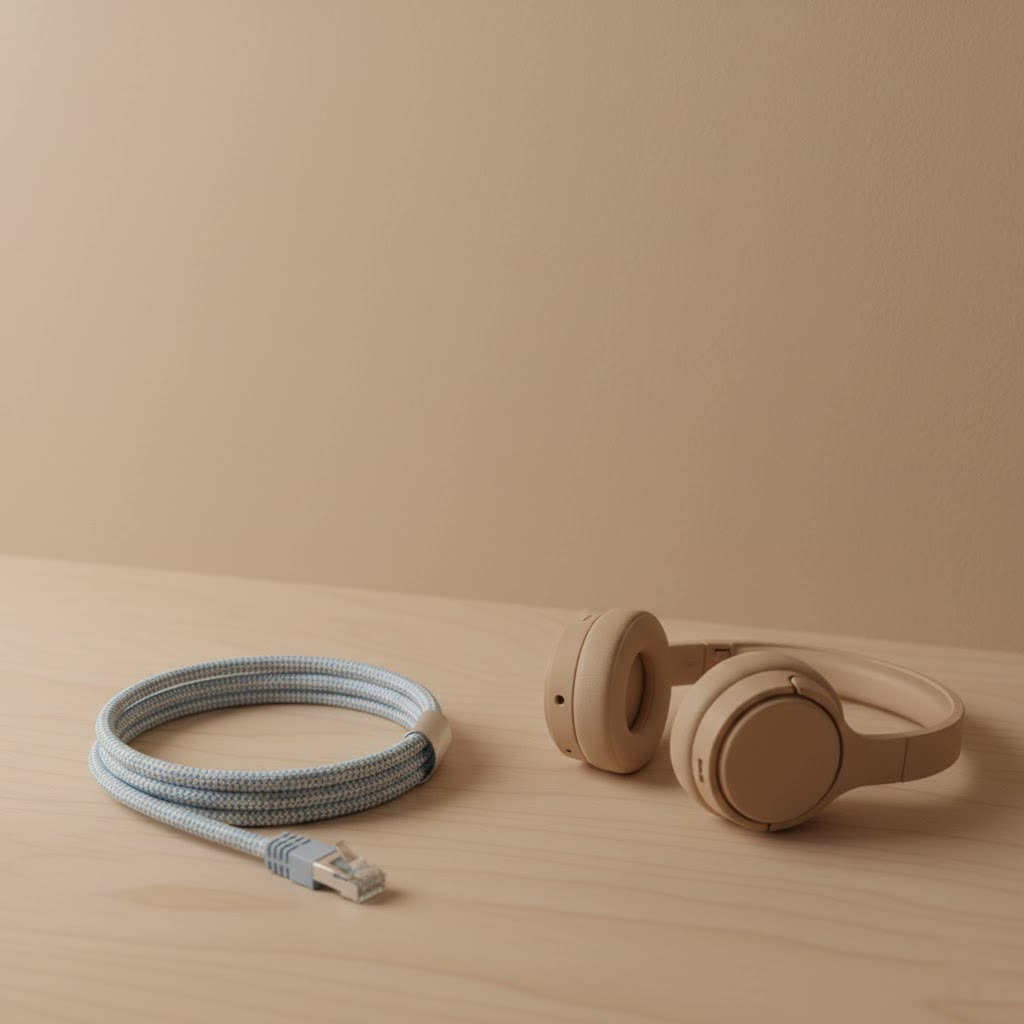
Choosing the right 30 foot Ethernet cable can seem daunting, but it’s all about matching the cable’s capabilities to your specific needs. From boosting your gaming experience to ensuring seamless video calls, this length offers the flexibility to connect devices across rooms or to your central router with ease.
Why a 30-Foot Ethernet Cable Might Be Just Right For You
A 30-foot (approximately 9-meter) Ethernet cable offers a versatile solution for a multitude of networking scenarios. It’s long enough to connect devices in adjacent rooms, reach a console or PC from a router positioned elsewhere, or even extend network access to a home office on a different floor (depending on routing). This length is particularly beneficial for those seeking to bypass the common instabilities and slower speeds often associated with Wi-Fi.
Imagine you’re in the middle of a crucial online gaming session or a high-stakes video conference. The last thing you want is a dropped connection or frustrating lag. A dedicated 30 foot Ethernet cable can provide that rock-solid link, ensuring your data travels quickly and consistently. It’s often the perfect balance, offering enough length to route neatly around furniture and through doorways without leaving excessive, tangled slack.
Does Length Really Matter? Demystifying Performance at 30 Feet
One of the most common questions people have is whether an Ethernet cable’s length impacts its speed or latency. For a 30-foot Ethernet cable, the answer is reassuringly simple: for typical home and small office networks, not significantly.
Ethernet standards are designed to maintain optimal performance over distances up to 100 meters (about 328 feet) for most common cable categories like Cat5e, Cat6, and Cat6a. Signal degradation, known as attenuation, does occur over distance, causing the electrical signal to weaken. However, at just 30 feet, this effect is negligible and won’t be noticeable in your day-to-day internet usage. Studies and real-world tests often show virtually no difference in download/upload speeds or ping times between a very short cable and a 30-foot cable.
“For most residential and small business applications, focusing on the quality of your internet service and the category of your cable is far more impactful than worrying about a 30-foot run,” advises David Chen, a seasoned network architect with SDCMT.
In most cases, the true bottleneck for your internet speed lies with your Internet Service Provider (ISP) plan, not with a properly chosen 30-foot Ethernet cable. So, rest assured, opting for this length won’t hinder your network’s potential.
Choosing Your Armor: Ethernet Cable Categories Explained (for 30-foot runs)
Understanding Ethernet cable categories is crucial for making an informed decision. Each “Cat” (Category) designation represents different standards for speed, bandwidth, and performance. For a 30 foot Ethernet cable, several categories are excellent choices, depending on your current and future needs.
Cat5e: The Economical Workhorse
|
Our Picks for the Best Ethernet Cable in 2026
As an Amazon Associate I earn from qualifying purchases.
|
||
| Num | Product | Action |
|---|---|---|
| 1 | Amazon Basics 5-Pack RJ45 Cat 6 Ethernet Patch Cable, 10Gpbs High-Speed Cable, Gold-Plated, Snagless, 5 Foot, Multicolor |

|
| 2 | UGREEN Cat 8 Ethernet Cable 10FT, High Speed Braided 40Gbps 2000Mhz Network Cord Cat8 RJ45 Shielded Indoor Heavy Duty LAN Cables Compatible for Gaming PC PS5 Xbox Modem Router 10FT |
|
| 3 | Amazon Basics RJ45 Cat-6 Ethernet Patch Cable, 1Gpbs Transfer Speed, Gold-Plated Connectors, 50 Foot for PC, TV, Tablet, Router, Printer, Black |
|
| 4 | Amazon Basics Cat 6 Ethernet RJ45 10Gbps Flat Cable 100 ft Outdoor&Indoor White Solid Patch Cord with Clips for Router, Modem, PS4/5, Xbox, Gaming, Computer Network for High Speed LAN Internet |
|
| 5 | Vabogu Cat 8 Ethernet Cable, Heavy Duty High Speed Internet Network Cable, Multiple Size Options, 26AWG, 2000MHz 40Gbps with Gold Plated RJ45 Connectors, Shielded for Indoor & Outdoor Use, 6FT |
|
| 6 | UGREEN Cat 8 Ethernet Cable 6FT, High Speed Braided 40Gbps 2000Mhz Network Cord Cat8 RJ45 Shielded Indoor Heavy Duty LAN Cables Compatible for Gaming PC PS5 Xbox Modem Router 6FT |
|
| 7 | Jadaol Cat 6 Ethernet Cable 50 ft, 10Gbps Support Cat8 Cat7 Network, Flat RJ45 LAN Patch Cable, High-Speed Wired Internet Cable for Router, Modem, Switch, Gaming Consoles, PC, Streaming Devices, White |
|
| 8 | Cat 8 Ethernet Cable 50 ft, 6ft 10ft 20ft 30ft 40ft 75ft 100ft 150ft Heavy Duty High Speed Internet Network Cable 26AWG 40Gbps 2000Mhz,Professional LAN Cable Shielded in Wall,Indoor&Outdoor |
|
| 9 | Snowkids Cat 8 Ethernet Cable 15 FT, Strong Signal, High Speed 40Gbps 2000Mhz, Network Cord with RJ45 Internet Connector for TV/Printer/Computer/Modem/Router/ps-3/4/5, Braided Flat LAN Cable 15FT Grey |
|
| 10 | Amazon Basics RJ45 Cat 6 Ethernet Patch Cable, 10Gpbs High-Speed Cable, 250MHz, Snagless, 10 Foot, Black for Printer |
|
What is Cat5e? Cat5e (Category 5 enhanced) cables are a foundational option. They support Gigabit Ethernet (1 Gbps) speeds and operate at a bandwidth of 100 MHz.
When to choose it for 30 feet: If your internet plan is 1 Gbps or less, and you’re looking for a cost-effective, reliable connection for everyday tasks like browsing, streaming HD video, or basic online gaming, a 30 foot Cat5e cable will serve you well. It’s an excellent upgrade from Wi-Fi for stability without breaking the bank.
Cat6: The Modern Standard
What is Cat6? Cat6 cables offer tighter twists and sometimes shielding compared to Cat5e, reducing interference and maintaining signal quality. They support 1 Gbps up to 100 meters and can handle 10 Gigabit Ethernet (10 Gbps) over shorter distances, typically up to 55 meters, with a bandwidth of 250 MHz.
When to choose it for 30 feet: For a 30 foot Ethernet cable, Cat6 is a fantastic all-rounder. It can effortlessly deliver 10 Gbps speeds, making it ideal for high-bandwidth activities like 4K video streaming, competitive online gaming, or rapid large file transfers within your local network. It’s also a good choice for future-proofing your home or office network.
Cat6a: Future-Proofing Your Connection
What is Cat6a? Cat6a (Category 6 augmented) extends the capabilities of Cat6, supporting 10 Gbps over the full 100-meter distance with a higher bandwidth of 500 MHz. It provides superior protection against alien crosstalk (interference from adjacent cables).
When to choose it for 30 feet: While Cat6 is often sufficient for 10 Gbps at 30 feet, a Cat6a cable offers an extra layer of future-proofing and robustness. If you anticipate upgrading your network equipment to support higher speeds or if you’re in an environment with many network cables bundled together, a 30 foot Cat6a cable ensures maximum performance and stability.
Cat7 & Cat8: When Overkill Isn’t Overkill (Data Centers & Extreme Needs)
What are Cat7 and Cat8? Cat7 cables support 10 Gbps up to 100 meters at 600 MHz and feature extensive shielding. Cat8 is the latest copper standard, supporting 25 Gbps to 40 Gbps over distances up to 30 meters at 2000 MHz.
When to choose them for 30 feet: For most home and small office users, Cat7 and especially Cat8 are typically overkill and more expensive than necessary. Their primary use is in data centers or server-to-server connections where extremely high-speed, short-distance transfers are critical. While a 30 foot Cat8 cable would certainly deliver its maximum potential speeds, these speeds rarely match residential internet plans, making it an impractical investment for many. However, if you have a niche application like direct high-speed NAS connections or dedicated professional setups, they might be considered.
Here’s a quick comparison to help you decide:
| Cable Category | Max Speed (for 100m) | Max Speed (for 30ft) | Bandwidth | Best for 30-Foot Run |
|---|---|---|---|---|
| Cat5e | 1 Gbps | 1 Gbps | 100 MHz | Everyday use, budget-friendly |
| Cat6 | 1 Gbps (10 Gbps up to 55m) | 10 Gbps | 250 MHz | Gaming, 4K streaming, general high-speed needs |
| Cat6a | 10 Gbps | 10 Gbps | 500 MHz | Future-proofing, high-density environments |
| Cat7 | 10 Gbps | 10 Gbps | 600 MHz | Niche professional use, extensive shielding |
| Cat8 | 25/40 Gbps (up to 30m) | 25/40 Gbps | 2000 MHz | Data centers, extreme short-distance high-speed |
Shielded vs. Unshielded: Protecting Your Signal
Ethernet cables come in two main types: unshielded twisted pair (UTP) and shielded twisted pair (STP).
- Unshielded Twisted Pair (UTP): This is the most common type for home and office use. UTP cables rely on the twisting of wire pairs to cancel out electromagnetic interference (EMI) and crosstalk. For a 30 foot Ethernet cable in a typical residential or office setting, UTP is generally sufficient and more cost-effective.
- Shielded Twisted Pair (STP): STP cables incorporate an extra protective layer, usually a foil or braid, around the twisted pairs, or even around individual pairs (like in Cat7). This shielding provides superior protection against EMI, which can be crucial in environments with significant electrical noise, such as near heavy machinery, fluorescent lights, or when running cables parallel to power lines. If your 30 foot Ethernet cable needs to run outdoors or through conduits with electrical cables, an STP cable, properly grounded, can prevent performance issues.
Installation Best Practices for Your 30-Foot Cable
Even a perfect 30 foot Ethernet cable can underperform if not installed correctly. Here are some tips:
- Avoid Sharp Bends: Ethernet cables have a minimum bend radius. Bending them too sharply can damage the internal wires, leading to signal loss.
- Cable Management: Use cable ties, clips, or raceways to keep your 30 foot Ethernet cable neat and protected. This prevents accidental damage and tripping hazards.
- Mind the Environment:
- Indoor vs. Outdoor: If your cable will be exposed to the elements (UV light, moisture, extreme temperatures), ensure you choose an outdoor-rated cable with a UV-resistant jacket. Standard indoor cables are not designed for outdoor harshness.
- Wall Runs: If running cable through walls or ceilings, be aware of building codes. Riser-rated (CMR) cables are suitable for vertical runs, while plenum-rated (CMP) cables are required for spaces used for air circulation (plenums) due to their low-smoke, fire-retardant properties.
- Keep Away from Power Lines: If possible, avoid running your Ethernet cable directly parallel to electrical power lines for extended distances to minimize electromagnetic interference. If you must, use a shielded cable.
Troubleshooting Common 30-Foot Ethernet Cable Issues
While Ethernet cables are generally robust, issues can arise.
- No Connection: First, check both ends of your 30 foot Ethernet cable to ensure they are securely plugged into your devices and router/switch. A loose connection is a surprisingly common culprit.
- Slow Speed: If your wired connection is slower than expected, try a different port on your router or switch. Test with another known-good Ethernet cable if possible. Ensure your network drivers are up to date.
- Intermittent Connection: This could indicate a damaged cable. Inspect the cable for visible kinks, cuts, or crushed sections. If it’s shielded, ensure proper grounding.
- Incorrect Cable Type: Using an old Cat5 cable for a Gigabit connection won’t give you full speed. Double-check your cable category against your network hardware’s capabilities.
Maintaining Your Ethernet Cable for Longevity
Proper care can extend the life of your 30 foot Ethernet cable for years.
- Protect from Physical Stress: Avoid pulling, tugging, or stepping on cables. Heavy objects can crush them, causing internal damage.
- Prevent Kinks: As mentioned, sharp bends are detrimental. Store excess cable in loose coils rather than tight bundles.
- Environmental Protection: Keep cables away from extreme heat sources, direct sunlight (unless outdoor-rated), and areas where they might be chewed by pets.
- Clean Connections: Occasionally, dust or debris can accumulate in RJ45 ports. Gently clean them with compressed air.
Frequently Asked Questions about 30 Foot Ethernet Cables
Q: Will a 30-foot cable slow down my internet?
A: For typical residential and small office internet speeds, a 30 foot Ethernet cable will generally not slow down your internet. Modern Ethernet standards are designed to maintain full speeds over much longer distances (up to 100 meters or 328 feet) before signal degradation becomes noticeable.
Q: Which Cat type is best for gaming at 30 feet?
A: For gaming at 30 feet, a Cat6 Ethernet cable is highly recommended. It comfortably supports 10 Gigabit Ethernet speeds over this distance, providing excellent performance for competitive gaming with minimal latency and maximum stability. Cat5e is also viable for 1 Gbps gaming.
Q: Can I use a 30-foot outdoor Ethernet cable indoors?
A: Yes, you can use an outdoor-rated 30 foot Ethernet cable indoors. However, outdoor cables often have thicker, more rigid jackets designed for harsh conditions, making them less flexible and potentially harder to route neatly inside. They are typically more expensive than indoor-specific cables.
Q: What’s the difference between solid and stranded core for this length?
A: Solid core cables use a single, solid wire per conductor, making them ideal for longer, permanent runs due to better electrical performance. Stranded core cables use multiple thinner strands, making them more flexible but better suited for shorter patch cables. For a 30 foot permanent installation, solid core is generally preferred, but stranded core is perfectly fine for a flexible patch cable.
Q: Do I need a shielded 30-foot cable?
A: For most home and typical office environments, an unshielded (UTP) 30 foot Ethernet cable is sufficient. However, if your cable needs to run near power lines, heavy electrical equipment, or through areas with significant electromagnetic interference, a shielded (STP) cable can provide better signal protection.
Conclusion
Choosing the right 30 foot Ethernet cable is a smart move for anyone looking to enhance their wired network’s speed and reliability. Whether you’re upgrading your home office, optimizing your gaming setup, or simply seeking a more stable connection, understanding the different cable categories, shielding options, and installation best practices is key. With a bit of knowledge, you can confidently select a 30 foot Ethernet cable that meets your needs today and prepares your network for tomorrow. Make an informed choice, and enjoy the seamless connectivity you deserve!
