In the adrenaline-fueled world of online gaming, every millisecond counts. You’ve invested in a powerful gaming rig or a cutting-edge console, and your internet service provider (ISP) promises lightning-fast speeds. But are you truly getting the most out of your setup? Often, the unsung hero—or silent bottleneck—is your Ethernet cable for gaming. While Wi-Fi offers convenience, a wired Ethernet connection remains the gold standard for competitive play, ensuring a rock-solid, low-latency link between you and the game server.
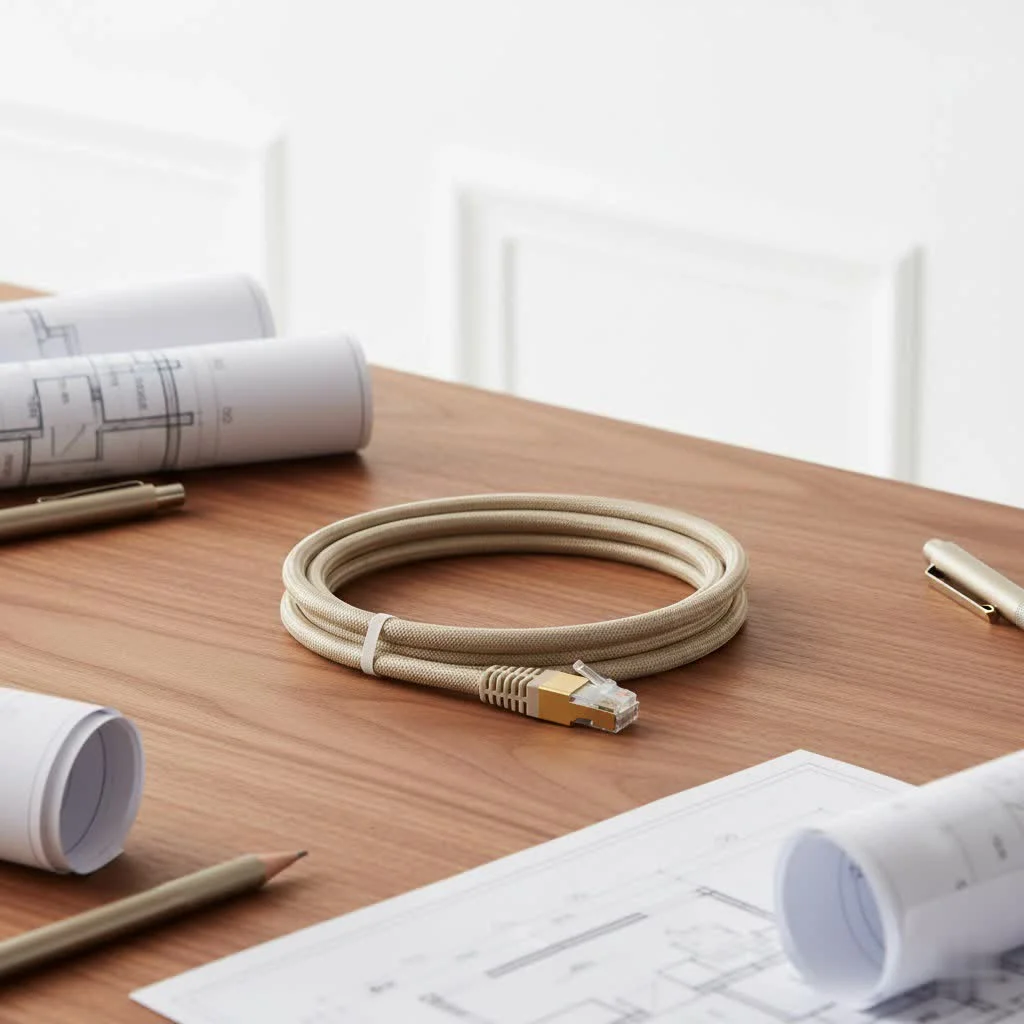
At SDCMT, we understand that a flawless connection can be the difference between a triumphant victory and a frustrating defeat. This guide will navigate you through the world of Ethernet cables, helping you unlock your network’s full potential and elevate your gaming experience.
Why a Wired Ethernet Connection is Your Gaming MVP
Ask any serious gamer, and they’ll tell you: wired is king. Why? Because an Ethernet connection simply outperforms Wi-Fi in the critical areas that matter most for gaming. Wireless signals, while convenient, are prone to interference from other devices, walls, and even neighboring networks, leading to unpredictable performance.
What makes Ethernet superior for gamers?
A direct Ethernet connection offers several undeniable advantages:
- Lower Latency (Ping): This is the holy grail for gamers. Latency, often measured as “ping” in milliseconds (ms), is the time it takes for data to travel from your gaming device to the server and back. Lower ping means your commands register faster, translating into quicker reactions in fast-paced games like Valorant or Call of Duty. While Wi-Fi ping can fluctuate, Ethernet provides a consistent, significantly lower latency.
- Stable Connection: Wireless connections are susceptible to drops, jitters, and signal degradation. Imagine being in a critical team fight and suddenly experiencing a micro-disconnection. Ethernet cables eliminate this randomness, providing unwavering stability throughout your gaming sessions.
- Consistent Speed and Dedicated Bandwidth: Although most online games don’t demand massive bandwidth, Ethernet ensures that the full speed of your internet plan is consistently delivered to your device without sharing bandwidth with other wireless devices in your home. This prevents buffering during intense gameplay, streaming, or large game updates.
- Immunity to Wireless Interference: Walls, furniture, and other electronics can weaken Wi-Fi signals and introduce interference. A physical Ethernet cable, especially shielded types, largely bypasses these environmental challenges, maintaining signal strength and integrity from end to end.
Decoding Ethernet Cable Categories for Gamers
The “Cat” in Ethernet cable names like Cat5e or Cat6 refers to “Category,” indicating its performance level and specifications. Each category supports different maximum speeds and bandwidths, making some more suitable for gaming than others. Understanding these differences is key to choosing the right Ethernet cable for gaming.
What do Cat5e, Cat6, Cat6a, Cat7, and Cat8 mean for your game?
|
Our Picks for the Best Ethernet Cable in 2026
As an Amazon Associate I earn from qualifying purchases.
|
||
| Num | Product | Action |
|---|---|---|
| 1 | Cat 8 Ethernet Cable 50 ft, 6ft 10ft 20ft 30ft 40ft 75ft 100ft 150ft Heavy Duty High Speed Internet Network Cable 26AWG 40Gbps 2000Mhz,Professional LAN Cable Shielded in Wall,Indoor&Outdoor |

|
| 2 | UGREEN Cat 8 Ethernet Cable 6FT, High Speed Braided 40Gbps 2000Mhz Network Cord Cat8 RJ45 Shielded Indoor Heavy Duty LAN Cables Compatible for Gaming PC PS5 Xbox Modem Router 6FT |
|
| 3 | UGREEN Cat 8 Ethernet Cable 10FT, High Speed Braided 40Gbps 2000Mhz Network Cord Cat8 RJ45 Shielded Indoor Heavy Duty LAN Cables Compatible for Gaming PC PS5 Xbox Modem Router 10FT |
|
| 4 | Snowkids Cat 8 Ethernet Cable 15 FT, Strong Signal, High Speed 40Gbps 2000Mhz, Network Cord with RJ45 Internet Connector for TV/Printer/Computer/Modem/Router/ps-3/4/5, Braided Flat LAN Cable 15FT Grey |
|
| 5 | Amazon Basics RJ45 Cat-6 Ethernet Patch Cable, 1Gpbs Transfer Speed, Gold-Plated Connectors, 50 Foot for PC, TV, Tablet, Router, Printer, Black |
|
| 6 | Amazon Basics 5-Pack RJ45 Cat 6 Ethernet Patch Cable, 10Gpbs High-Speed Cable, Gold-Plated, Snagless, 5 Foot, Multicolor |
|
| 7 | Amazon Basics RJ45 Cat 6 Ethernet Patch Cable, 10Gpbs High-Speed Cable, 250MHz, Snagless, 10 Foot, Black for Printer |
|
| 8 | Jadaol Cat 6 Ethernet Cable 50 ft, 10Gbps Support Cat8 Cat7 Network, Flat RJ45 LAN Patch Cable, High-Speed Wired Internet Cable for Router, Modem, Switch, Gaming Consoles, PC, Streaming Devices, White |
|
| 9 | Amazon Basics Cat 6 Ethernet RJ45 10Gbps Flat Cable 100 ft Outdoor&Indoor White Solid Patch Cord with Clips for Router, Modem, PS4/5, Xbox, Gaming, Computer Network for High Speed LAN Internet |
|
| 10 | Vabogu Cat 8 Ethernet Cable, Heavy Duty High Speed Internet Network Cable, Multiple Size Options, 26AWG, 2000MHz 40Gbps with Gold Plated RJ45 Connectors, Shielded for Indoor & Outdoor Use, 6FT |
|
Let’s break down the most common categories you’ll encounter:
- Cat5e (Category 5e):
- Speed: Up to 1 Gigabit per second (Gbps)
- Bandwidth: 100 MHz
- Best for: Casual gaming, standard home internet use, 1080p streaming. While still functional, it’s generally considered the baseline.
- Cat6 (Category 6):
- Speed: Up to 1 Gbps (and 10 Gbps over shorter distances, typically up to 55 meters)
- Bandwidth: 250 MHz
- Best for: Most serious and competitive gamers. Cat6 offers a significant improvement in interference handling over Cat5e and is an excellent balance of performance and value.
- Cat6a (Category 6 Augmented):
- Speed: 10 Gbps over longer distances (up to 100 meters)
- Bandwidth: 500 MHz
- Best for: High-speed internet plans (1 Gbps+), pro gaming setups, and multi-device networks. Cat6a provides enhanced performance and less interference than Cat6.
- Cat7 (Category 7):
- Speed: 10 Gbps (up to 100 meters)
- Bandwidth: 600 MHz
- Best for: High-end rigs and future-proofing, offering superior shielding. While highly capable, it often uses GG45/TERA connectors, though it’s typically backward compatible with standard RJ45.
- Cat8 (Category 8):
- Speed: 25 Gbps or 40 Gbps (up to 30 meters)
- Bandwidth: 2000 MHz
- Best for: Next-generation gaming (think 8K streaming, future ultra-high-speed scenarios), professional esports venues, or data centers. For most home users, Cat8 is often overkill.
The Gaming Sweet Spot: Which Cable is Right for You?
Choosing the right Ethernet cable for gaming isn’t just about picking the highest number. It’s about finding the perfect match for your specific setup, internet speed, and gaming habits.
How do you pick the perfect Ethernet cable for your gaming setup?
Consider these key factors:
- Your Internet Speed: The cable can only be as fast as your internet connection and network equipment. If your ISP provides 500 Mbps, a Cat6 cable (rated for 1 Gbps) is more than sufficient. Upgrading to Cat7 or Cat8 won’t magically boost your internet speed beyond what you’re paying for.
- Cable Length: Shorter is generally better for signal quality, but modern Ethernet cables are designed to perform reliably up to 100 meters (328 feet). For most home setups, a custom-length cable that fits snugly without excessive coiling is ideal.
- Environmental Interference: If your gaming area is near other electronics, power cables, or heavy machinery that might cause electromagnetic interference (EMI), a shielded cable (like STP/FTP) can offer better protection than unshielded (UTP) options.
- Future-Proofing: While Cat8 might seem like the ultimate future-proof solution, realistically, Cat6a provides ample headroom for current and foreseeable home networking needs for the next several years. If you plan on upgrading to multi-gigabit internet (2.5 Gbps, 5 Gbps, or even 10 Gbps) in the near future, Cat6a is a smart choice.
“For the vast majority of gamers, a quality Cat6 or Cat6a Ethernet cable strikes the perfect balance between performance and cost-effectiveness. Investing in Cat7 or Cat8 might feel like future-proofing, but your router and ISP speed are often the real limiting factors, not the cable itself.” – David Chen, Senior Network Engineer at SDCMT.
Cat5e vs. Cat6 for Gaming: The Entry-Level Debate
Is Cat5e still viable, or should you always go for Cat6? While Cat5e can handle Gigabit speeds, Cat6 offers superior crosstalk performance and can support 10 Gbps over shorter runs. For a minimal price difference, Cat6 provides a more robust and future-compatible solution, making it the preferred choice for anyone serious about an optimal Ethernet cable for gaming.
When to Consider Cat6a and Beyond
Do you really need Cat7 or Cat8 for your gaming rig?
- Cat6a is excellent if you have a multi-gigabit internet connection (over 1 Gbps) or if you need to run 10 Gbps over longer distances (up to 100 meters) within your home or office. It’s also a strong contender for professional streamers or content creators who frequently transfer large files over their local network.
- Cat7 and Cat8 are typically overkill for standard home gaming setups. Their extreme bandwidth capabilities (up to 40 Gbps for Cat8) are usually only fully utilized in data centers, high-performance computing environments, or professional esports arenas with specialized equipment. For typical gaming, your internet connection and router will likely be the limiting factors long before a Cat7 or Cat8 cable is.
Setting Up for Success: Installation and Connection Tips
Even the best Ethernet cable for gaming won’t perform optimally if not installed correctly. A few simple steps can make a big difference:
How can you ensure your Ethernet cable delivers peak performance?
- Proper Routing: Avoid running your Ethernet cable parallel to power lines or electrical conduits. This can introduce electromagnetic interference, degrading signal quality. If you must cross them, do so at a 90-degree angle.
- No Kinks or Tight Bends: Kinking or bending an Ethernet cable too sharply can damage the internal twisted pairs, leading to signal loss and reduced performance. Always maintain gentle curves.
- Secure Connections: Ensure that the RJ45 connectors are fully seated and “click” into place on both your gaming device and router/switch. A loose connection is a prime culprit for intermittent issues.
- Gold-Plated Connectors: Look for cables with gold-plated connectors. Gold is an excellent conductor and resists corrosion, ensuring a reliable, high-speed connection over time.
- Test Your Connection: After installation, use online speed tests and ping checkers to confirm your connection’s performance. Many games also display your in-game ping, allowing you to monitor real-time latency.
Troubleshooting Common Ethernet Cable Issues for Gamers
Even with a top-tier Ethernet cable for gaming, you might occasionally encounter connection issues. Don’t worry; many problems have straightforward solutions.
Experiencing lag or disconnects? Here’s how to diagnose your cable.
- Cable Damage: Visually inspect your cable for any physical damage, kinks, frayed wires, or crushed sections. A damaged cable is the most common reason for unexpected performance drops.
- Loose Connections: Power cycling your equipment (router, modem, gaming device) and re-seating the Ethernet cable at both ends can often resolve intermittent connectivity.
- Interference: If you suspect EMI is an issue, consider rerouting your cable away from power sources or other electronics. If that’s not feasible, upgrading to a shielded (STP/FTP) cable might be necessary.
- Outdated Drivers/Firmware: Ensure your network adapter drivers on your PC are up to date. Similarly, check for firmware updates for your router, as these often include performance enhancements and bug fixes.
- Test with Another Cable: If all else fails, try swapping out your current Ethernet cable for a known good one. This can quickly help you determine if the cable itself is the problem.
Maximizing Longevity: Ethernet Cable Maintenance Tips
A well-maintained Ethernet cable for gaming can serve you faithfully for years. A little care goes a long way in ensuring consistent performance and extending its lifespan.
How do you keep your gaming Ethernet cable in top shape?
- Effective Cable Management: Use cable ties, clips, or sleeves to organize your wires. This prevents tangles, reduces the risk of accidental damage, and makes troubleshooting easier.
- Avoid Foot Traffic: Position cables where they won’t be stepped on, rolled over by chairs, or become tripping hazards. Constant pressure can damage the internal conductors.
- Clean Connectors: Dust and debris can accumulate on RJ45 connectors, potentially hindering conductivity. Periodically disconnect and gently clean them with a blast of compressed air or a lint-free cloth.
Frequently Asked Questions (FAQ)
Q: Does Ethernet cable length affect gaming performance?
A: For typical home lengths (under 100 meters or about 328 feet), the length of a quality Ethernet cable has a negligible effect on gaming performance or latency. Signal degradation only becomes a noticeable factor over much longer distances.
Q: Is Cat6 Ethernet cable good enough for PS5/Xbox Series X?
A: Absolutely! A Cat6 Ethernet cable is more than sufficient for both PS5 and Xbox Series X. These consoles typically don’t utilize speeds beyond what Cat6 can reliably deliver, providing excellent speed and low latency for an optimal gaming experience.
Q: Will a Cat8 cable dramatically improve my ping?
A: While Cat8 offers incredible bandwidth, it’s unlikely to dramatically improve your ping for typical home internet connections. Ping is primarily influenced by your ISP, the distance to game servers, and network congestion, not just the cable’s raw speed. Cat8’s benefits are primarily seen in extremely high-bandwidth local network applications or highly interference-prone environments.
Q: What about flat Ethernet cables for gaming?
A: Flat Ethernet cables can be convenient for routing under carpets or along walls due to their discrete profile. However, ensure you purchase a high-quality flat cable, as some cheaper options might compromise shielding or conductor quality compared to their round counterparts, potentially affecting performance.
Q: Should I use unshielded (UTP) or shielded (STP) cables?
A: For most home environments with standard electronics, unshielded twisted pair (UTP) cables are perfectly adequate. If your gaming setup is in an area with significant electromagnetic interference from other devices, power lines, or machinery, a shielded twisted pair (STP or FTP) cable can offer better protection and maintain signal integrity.
Conclusion
Choosing the right Ethernet cable for gaming is a simple yet impactful step towards optimizing your online experience. While the allure of the highest category might be strong, remember that the “best” cable is the one that perfectly balances performance, your specific needs, and your budget. For most gamers, a reliable Cat6 or Cat6a Ethernet cable will provide all the speed and stability required for competitive play and immersive streaming.
At SDCMT, we advocate for informed choices that lead to confident, lag-free gaming. By understanding the nuances of Ethernet cable categories, prioritizing stability and low latency, and implementing smart installation and maintenance practices, you’re not just buying a cable – you’re investing in a superior gaming experience. So, plug in, power up, and enjoy the smooth, responsive gameplay you deserve!
Get our weekly buyer guide
Practical specs, not advice. Unsubscribe anytime.