Ever found yourself needing to extend your network far beyond the typical desk setup, perhaps connecting a detached garage, an outdoor office, or even a distant gaming room? The 200-foot Ethernet cable becomes a critical component in such scenarios, but choosing the right one and installing it correctly can feel like navigating a maze. As your trusted experts at SDCMT, we’re here to demystify the process, ensuring your extended network delivers the speed and reliability you need.
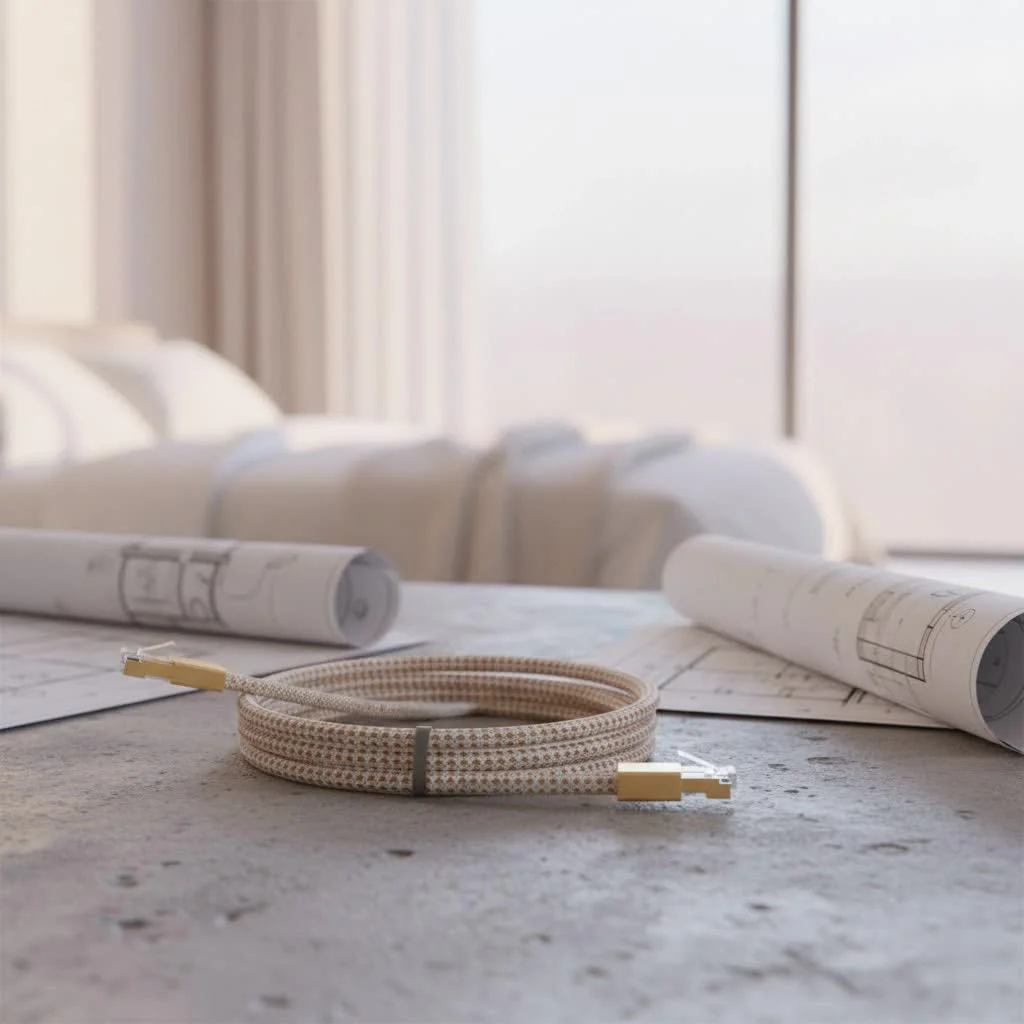
A 200-foot run is a common length that often sparks questions about performance, signal integrity, and the best cable choice. Rest assured, reaching 200 feet with an Ethernet cable is entirely feasible, provided you understand the nuances of cable categories, environmental factors, and proper installation techniques. Let’s dive in and build a robust connection that stands the test of distance. For complete ethernet cables library on this site.
Understanding Ethernet Cable Length Limits: Is 200 Feet Too Far?
The short answer is no, 200 feet (approximately 61 meters) is generally not too far for an Ethernet cable. Most standard Ethernet categories, including Cat5e, Cat6, and Cat6a, are designed to deliver their full specified performance over distances up to 100 meters (about 328 feet). This means a 200-foot run is well within the acceptable maximum length for basic connectivity.
However, “acceptable” doesn’t always mean “optimal for all speeds.” While a connection will certainly be established, the speed you can achieve at 200 feet can vary significantly depending on the cable category you choose. It’s not just about getting connected; it’s about sustaining the network speed you pay for and expect.
Choosing Your Champion: Which Ethernet Cable Category for 200 Feet?
When extending your network to 200 feet, the type of Ethernet cable you select plays a pivotal role in determining your network’s speed and overall performance. Let’s break down the most common categories:
Cat5e: The Reliable Workhorse
Cat5e (Category 5 Enhanced) cables are widely used and capable of supporting Gigabit Ethernet (1 Gbps) speeds over their full 100-meter (328-foot) maximum length. For a 200-foot run, Cat5e will reliably deliver 1 Gbps, making it a cost-effective option for everyday tasks like web browsing, standard definition streaming, and general office work. If your internet connection or local network devices are capped at 1 Gbps, Cat5e is often a perfectly adequate choice.
Cat6: The Everyday Performer (with a caveat)
Cat6 (Category 6) cables offer enhanced performance over Cat5e, supporting higher bandwidths and better crosstalk reduction. They are capable of delivering 10 Gigabit Ethernet (10 Gbps) speeds, but only over shorter distances—typically up to 55 meters (180 feet). For a 200-foot run, a Cat6 cable will default to 1 Gigabit Ethernet (1 Gbps) speeds, similar to Cat5e. So, while Cat6 is a robust cable, if your goal is 10 Gbps at 200 feet, Cat6 on its own won’t get you there. It’s a good choice for 1 Gbps with better future-proofing potential for shorter, higher-speed segments of your network.
Cat6a: The 10 Gigabit Solution for Long Runs
|
Our Picks for the Best Ethernet Cable in 2026
As an Amazon Associate I earn from qualifying purchases.
|
||
| Num | Product | Action |
|---|---|---|
| 1 | Amazon Basics 5-Pack RJ45 Cat 6 Ethernet Patch Cable, 10Gpbs High-Speed Cable, Gold-Plated, Snagless, 5 Foot, Multicolor |

|
| 2 | UGREEN Cat 8 Ethernet Cable 10FT, High Speed Braided 40Gbps 2000Mhz Network Cord Cat8 RJ45 Shielded Indoor Heavy Duty LAN Cables Compatible for Gaming PC PS5 Xbox Modem Router 10FT |
|
| 3 | UGREEN Cat 8 Ethernet Cable 6FT, High Speed Braided 40Gbps 2000Mhz Network Cord Cat8 RJ45 Shielded Indoor Heavy Duty LAN Cables Compatible for Gaming PC PS5 Xbox Modem Router 6FT |
|
| 4 | Amazon Basics Cat 6 Ethernet RJ45 10Gbps Flat Cable 100 ft Outdoor&Indoor White Solid Patch Cord with Clips for Router, Modem, PS4/5, Xbox, Gaming, Computer Network for High Speed LAN Internet |
|
| 5 | Jadaol Cat 6 Ethernet Cable 50 ft, 10Gbps Support Cat8 Cat7 Network, Flat RJ45 LAN Patch Cable, High-Speed Wired Internet Cable for Router, Modem, Switch, Gaming Consoles, PC, Streaming Devices, White |
|
| 6 | Cat 8 Ethernet Cable 50 ft, 6ft 10ft 20ft 30ft 40ft 75ft 100ft 150ft Heavy Duty High Speed Internet Network Cable 26AWG 40Gbps 2000Mhz,Professional LAN Cable Shielded in Wall,Indoor&Outdoor |
|
| 7 | Vabogu Cat 8 Ethernet Cable, Heavy Duty High Speed Internet Network Cable, Multiple Size Options, 26AWG, 2000MHz 40Gbps with Gold Plated RJ45 Connectors, Shielded for Indoor & Outdoor Use, 6FT |
|
| 8 | Amazon Basics RJ45 Cat 6 Ethernet Patch Cable, 10Gpbs High-Speed Cable, 250MHz, Snagless, 10 Foot, Black for Printer |
|
| 9 | Snowkids Cat 8 Ethernet Cable 15 FT, Strong Signal, High Speed 40Gbps 2000Mhz, Network Cord with RJ45 Internet Connector for TV/Printer/Computer/Modem/Router/ps-3/4/5, Braided Flat LAN Cable 15FT Grey |
|
| 10 | Amazon Basics RJ45 Cat-6 Ethernet Patch Cable, 1Gpbs Transfer Speed, Gold-Plated Connectors, 50 Foot for PC, TV, Tablet, Router, Printer, Black |
|
If you’re aiming for 10 Gigabit Ethernet (10 Gbps) speeds over a 200-foot distance, Cat6a (Category 6 Augmented) is your go-to solution. Cat6a cables are designed to support 10 Gbps over their full 100-meter (328-foot) maximum length, making them ideal for high-bandwidth applications like 4K video streaming, demanding online gaming, and large file transfers across an extended network. They offer superior performance in environments with higher interference due to stricter specifications and often better shielding.
Cat7 & Cat8: High-Performance, Shorter Reach for Max Speed
Categories like Cat7 and Cat8 offer even higher speeds and frequencies (e.g., Cat8 can support 25 Gbps or 40 Gbps). However, these top-tier speeds are typically achieved over much shorter distances. For instance, Cat8 cables deliver 25/40 Gbps only up to 30 meters (98 feet). While they offer enhanced shielding and are excellent for data centers or very short, extremely high-speed links, they are often overkill for a 200-foot residential or small business run if the primary goal is 10 Gbps or less. Their main benefit at 200 feet would be robust shielding for interference-prone environments, rather than unlocking higher speeds beyond Cat6a.
David Chen, Senior Network Engineer at SDCMT, shares his wisdom: “When you’re dealing with distances like 200 feet, it’s not just about getting a connection; it’s about preserving the integrity of your data. Skimping on cable quality or ignoring environmental factors can turn a seemingly good connection into a frustrating bottleneck. Always think long-term performance and reliability.”
Beyond the Walls: Installing a 200-Foot Outdoor Ethernet Cable
Running an Ethernet cable outdoors, especially for a 200-foot stretch, introduces a new set of considerations to ensure durability, safety, and consistent performance.
Why Outdoor Cables are Different
Standard indoor Ethernet cables are not designed to withstand the elements. Outdoor-rated Ethernet cables, often labeled as direct burial or UV-resistant/waterproof, feature tougher outer jackets made from materials like LLDPE (Linear Low-Density Polyethylene) that protect against UV radiation, moisture, and extreme temperatures. These cables prevent degradation that would quickly ruin an indoor cable.
The Crucial Role of Conduit
Even when using direct burial cable, installing it within a conduit (such as PVC) is highly recommended. Conduit provides an invaluable layer of protection against:
- Physical Damage: Accidental cuts from shovels, garden tools, or general ground disturbance.
- Pests: Rodents and insects can chew through cable jackets.
- Environmental Factors: Additional defense against moisture ingress and temperature fluctuations.
For burial, aim for a trench depth of at least 10 inches, though 6-8 inches is also commonly mentioned, and consult local codes for specific requirements. Ensure conduit ends are sealed to prevent water from entering.
Tackling the Lightning Threat and Ground Loops
One of the most critical aspects of running a copper Ethernet cable between two separate buildings (like a house and a detached garage) is the risk of lightning strikes and ground loops. Different electrical potentials between buildings can create voltage differences, leading to equipment damage or data loss if lightning strikes nearby.
- The Safest Solution: For inter-building connections, fiber optic cable with media converters is the gold standard. Fiber transmits light, not electricity, offering complete galvanic isolation and immunity to electrical interference and lightning.
- If Using Copper: If fiber isn’t an option, use a shielded Ethernet cable (STP – Shielded Twisted Pair) that is outdoor-rated and install surge protectors at both ends of the run. Ensure proper grounding to mitigate risks, though absolute protection against direct lightning strikes with copper is challenging.
Installation Best Practices
- Plan Your Route: Map out the cable path, avoiding sharp bends, potential interference sources (like power lines), and areas of heavy traffic.
- Solid Core for Permanent Runs: For long, in-wall, or outdoor runs, always use solid core cable. Stranded cable is for short patch cords.
- Proper Termination: Use high-quality RJ45 connectors or keystone jacks. Incorrect termination is a common cause of performance issues.
- Weatherproofing Connectors: Even with outdoor-rated cables, connectors are vulnerable. Use weatherproof enclosures or seal exposed connectors with weatherproof tape to prevent corrosion and moisture ingress.
- Testing: After installation, use an Ethernet cable tester to verify connectivity and performance.
Maximizing Performance and Longevity of Your 200-Foot Run
A 200-foot Ethernet cable is an investment in your network’s infrastructure. Here’s how to ensure it delivers optimal performance for years to come:
Avoid CCA (Copper Clad Aluminum)
Always opt for cables made with 100% pure copper conductors. Copper Clad Aluminum (CCA) cables are cheaper, but they have higher resistance, leading to greater signal degradation over distance, increased heat, and are less durable. For a 200-foot run, CCA can severely compromise performance and reliability.
Proper Termination is Key
The best cable in the world won’t perform if it’s poorly terminated. Use the correct tools (crimping tool, punch-down tool) and follow the T568A or T568B wiring standards consistently at both ends. Poorly crimped connectors or untwisted wire pairs inside the connector can introduce significant crosstalk and signal loss.
Regular Checks and Maintenance
Periodically inspect exposed sections of your outdoor cable for any signs of wear, damage, or degradation. If running through conduit, ensure the entry/exit points remain sealed. A quick test with a basic Ethernet cable tester can help identify breaks or wiring faults before they cause major network problems.
FAQs About 200 Feet Ethernet Cables
Can a 200 ft Ethernet cable lose speed?
Yes, a 200-foot Ethernet cable can experience speed degradation if the wrong cable category is used or if there are installation issues. For example, a Cat6 cable will deliver 1 Gbps at 200 feet, not its maximum 10 Gbps, which is limited to shorter distances. Proper cable choice and installation are key to maintaining speed.
Is Cat6 good for 200 feet?
Cat6 is good for a 200-foot run if you only require 1 Gigabit Ethernet (1 Gbps) speeds. If you need 10 Gigabit Ethernet (10 Gbps) at that distance, you should choose Cat6a or higher.
What’s the best Ethernet cable for outdoor 200 ft?
For a 200-foot outdoor run, a direct burial, UV-resistant Cat6a cable is generally recommended if you need 10 Gigabit Ethernet speeds. If 1 Gbps is sufficient, an outdoor-rated Cat5e or Cat6 will suffice. For inter-building connections, fiber optic cable is the most secure and reliable option, negating lightning and ground loop risks.
Do I need a booster for a 200 ft Ethernet cable?
You typically do not need a “booster” (like an Ethernet extender) for a 200-foot Ethernet cable if you choose the appropriate cable category (e.g., Cat5e, Cat6, Cat6a) and ensure proper installation. These cables are designed to work within the 328-foot limit without active amplification. If you exceed 328 feet, a network switch or media converter would be used to extend the signal.
Can I bury a regular Ethernet cable?
No, you should never bury a regular indoor Ethernet cable. Indoor cables are not designed to withstand moisture, UV radiation, extreme temperatures, or physical stress found underground. This will quickly lead to cable degradation, performance loss, and eventual failure. Always use outdoor-rated or direct burial specific cables for any underground installation.
Conclusion
Running a 200-foot Ethernet cable might seem daunting at first, but with the right knowledge and tools, it’s a straightforward process that can significantly enhance your network’s reach and performance. By carefully selecting the appropriate cable category for your speed requirements, paying close attention to outdoor-specific challenges like UV exposure, moisture, and lightning, and adhering to proper installation techniques, you can ensure a reliable and fast connection.
Don’t let distance be a barrier to a robust network. Empower yourself with the expertise to confidently extend your Ethernet connection, and remember that SDCMT is always here to provide you with the professional insights and solutions you need to build and maintain an optimal network infrastructure.
Get our weekly buyer guide
Practical specs, not advice. Unsubscribe anytime.
