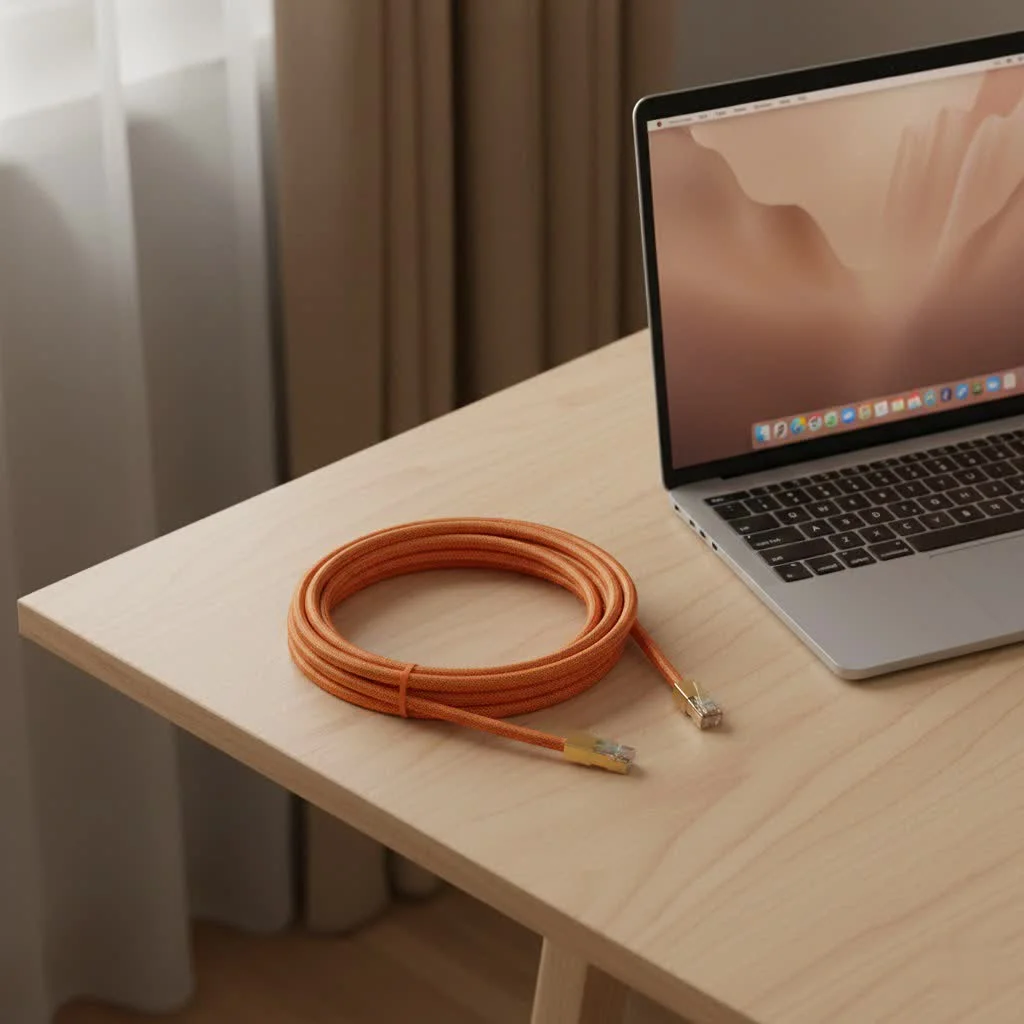
A 20-foot Ethernet cable is an ideal length for connecting devices across rooms, offering a balance of reach and minimal clutter. For most home and small office users, a Cat6 20-foot Ethernet cable provides optimal performance, supporting Gigabit Ethernet (1 Gbps) up to 100 meters and 10 Gigabit Ethernet (10 Gbps) over shorter distances up to 55 meters. This ensures stable, high-speed connections for activities like online gaming, 4K streaming, and reliable home office use, outperforming Wi-Fi in stability and speed.
Understanding Ethernet Cable Categories: What’s Best for 20 Feet?
The “category” of an Ethernet cable indicates its performance capabilities, including maximum speed and bandwidth. Understanding these categories is crucial for selecting a 20-foot Ethernet cable that meets your current needs and future-proofs your network. For see our ethernet cables recommendations on this site.
Why Category Matters, Even for Shorter Runs
Each cable category adheres to specific standards, ensuring compatibility and expected performance. While all modern Ethernet cables, including a 20-foot Ethernet cable, deliver excellent speeds, choosing the right category ensures you optimize performance without overspending or underspending.
- Cat5e (Category 5e): This category supports Gigabit Ethernet (1 Gbps) speeds over its entire length (up to 100 meters or 328 feet) with a bandwidth of 100 MHz. A Cat5e 20-foot Ethernet cable is suitable for basic internet browsing, email, and light streaming.
- Cat6 (Category 6): Often the sweet spot for most home and small office users, a Cat6 20-foot Ethernet cable supports Gigabit Ethernet (1 Gbps) up to 100 meters and 10 Gigabit Ethernet (10 Gbps) over distances up to 55 meters (180 feet). It offers a bandwidth of 250 MHz, providing improved performance and reduced crosstalk compared to Cat5e.
- Cat6a (Category 6 Augmented): For serious performance and future-proofing, Cat6a is an excellent choice. A Cat6a 20-foot Ethernet cable fully supports 10 Gigabit Ethernet (10 Gbps) speeds over the full 100-meter distance, with a bandwidth of 500 MHz. This makes it ideal for demanding applications and advanced home networks.
- Cat7/7a (Category 7/7a): These categories offer high performance, supporting 10 Gigabit Ethernet (10 Gbps) over 100 meters and higher bandwidths (up to 600 MHz for Cat7, 1000 MHz for Cat7a). Cat7 cables often feature individual shielding for each twisted pair, making them effective in high Electromagnetic Interference (EMI) environments.
- Cat8 (Category 8): The latest standard, Cat8 is designed for data center applications requiring ultra-high speeds over short distances. A Cat8 20-foot Ethernet cable can support 25 Gbps or 40 Gbps, typically limited to distances up to 30 meters (98 feet), with a bandwidth of 2000 MHz. For a 20-foot run, Cat8 is often overkill and more expensive.
“For a 20-foot ethernet cable, even Cat5e will deliver reliable Gigabit speeds, but stepping up to Cat6 or Cat6a offers enhanced performance and better future-proofing for evolving network demands,” says Alex Nguyen, a Senior Network Architect at SDCMT.
Comparison Table: Ethernet Cable Categories for a 20-Foot Run
|
Our Picks for the Best Ethernet Cable in 2026
As an Amazon Associate I earn from qualifying purchases.
|
||
| Num | Product | Action |
|---|---|---|
| 1 | UGREEN Cat 8 Ethernet Cable 10FT, High Speed Braided 40Gbps 2000Mhz Network Cord Cat8 RJ45 Shielded Indoor Heavy Duty LAN Cables Compatible for Gaming PC PS5 Xbox Modem Router 10FT |

|
| 2 | Snowkids Cat 8 Ethernet Cable 15 FT, Strong Signal, High Speed 40Gbps 2000Mhz, Network Cord with RJ45 Internet Connector for TV/Printer/Computer/Modem/Router/ps-3/4/5, Braided Flat LAN Cable 15FT Grey |
|
| 3 | Cat 8 Ethernet Cable 50 ft, 6ft 10ft 20ft 30ft 40ft 75ft 100ft 150ft Heavy Duty High Speed Internet Network Cable 26AWG 40Gbps 2000Mhz,Professional LAN Cable Shielded in Wall,Indoor&Outdoor |
|
| 4 | Jadaol Cat 6 Ethernet Cable 50 ft, 10Gbps Support Cat8 Cat7 Network, Flat RJ45 LAN Patch Cable, High-Speed Wired Internet Cable for Router, Modem, Switch, Gaming Consoles, PC, Streaming Devices, White |
|
| 5 | UGREEN Cat 8 Ethernet Cable 6FT, High Speed Braided 40Gbps 2000Mhz Network Cord Cat8 RJ45 Shielded Indoor Heavy Duty LAN Cables Compatible for Gaming PC PS5 Xbox Modem Router 6FT |
|
| 6 | Amazon Basics RJ45 Cat-6 Ethernet Patch Cable, 1Gpbs Transfer Speed, Gold-Plated Connectors, 50 Foot for PC, TV, Tablet, Router, Printer, Black |
|
| 7 | Amazon Basics Cat 6 Ethernet RJ45 10Gbps Flat Cable 100 ft Outdoor&Indoor White Solid Patch Cord with Clips for Router, Modem, PS4/5, Xbox, Gaming, Computer Network for High Speed LAN Internet |
|
| 8 | Amazon Basics 5-Pack RJ45 Cat 6 Ethernet Patch Cable, 10Gpbs High-Speed Cable, Gold-Plated, Snagless, 5 Foot, Multicolor |
|
| 9 | Amazon Basics RJ45 Cat 6 Ethernet Patch Cable, 10Gpbs High-Speed Cable, 250MHz, Snagless, 10 Foot, Black for Printer |
|
| 10 | Vabogu Cat 8 Ethernet Cable, Heavy Duty High Speed Internet Network Cable, Multiple Size Options, 26AWG, 2000MHz 40Gbps with Gold Plated RJ45 Connectors, Shielded for Indoor & Outdoor Use, 6FT |
|
| Category | Max Speed (at 20 feet) | Bandwidth | Best Use Cases |
|---|---|---|---|
| Cat5e | 1 Gbps | 100 MHz | Basic home networking, internet browsing, smart home devices |
| Cat6 | 10 Gbps | 250 MHz | Online gaming, 4K streaming, home office, VoIP |
| Cat6a | 10 Gbps | 500 MHz | Advanced home/office, data-intensive tasks, future-proofing |
| Cat7 | 10 Gbps | 600 MHz | High EMI environments, specialized AV, server connections |
| Cat8 | 25/40 Gbps | 2000 MHz | Ultra-high-speed data centers, very short server links |
Choosing the Right 20-Foot Ethernet Cable for Your Needs
A 20-foot Ethernet cable is a versatile length suitable for many applications in residential and small business settings. Understanding common uses and additional technical factors will help you make an informed decision.
What is a 20-foot Ethernet cable used for?
This length is perfect when devices are not directly next to your router or switch but do not require an excessively long run. Common scenarios include:
- Connecting a gaming console to a router in another room: Essential for competitive online gaming, where low latency and stable connections are critical.
- Linking a desktop PC to a network switch: Provides a high-speed, reliable backbone for workstations.
- Hardwiring a smart TV for 4K streaming: Eliminates buffering and ensures crisp, uninterrupted high-definition content.
- Extending network access in a home office: Guarantees stable video calls, fast file transfers, and reliable cloud access.
- Connecting network-attached storage (NAS) devices: Ensures quick and efficient data backup and retrieval.
Key Factors Beyond Category
While the cable category is paramount, several other characteristics of a 20-foot Ethernet cable can significantly impact its performance, durability, and suitability for your specific environment.
- Shielding (UTP vs. STP): Ethernet cables come in two primary types regarding shielding: Unshielded Twisted Pair (UTP) and Shielded Twisted Pair (STP).
- UTP: These are the most common and are suitable for most home and office environments where electromagnetic interference (EMI) is minimal.
- STP: Shielded cables have an additional metallic layer (foil or braid) around the twisted pairs to protect against EMI. They are typically necessary in environments with high electrical noise, such as near heavy machinery or power lines. For a standard home or office, UTP is usually sufficient for a 20-foot Ethernet cable.
- Jacket Type: The outer jacket material determines where a cable can be safely installed.
- PVC (Polyvinyl Chloride): Common for patch cables and general indoor use.
- Riser (CMR): Rated for vertical runs between floors in non-plenum spaces.
- Plenum (CMP): Designed for use in air-handling spaces (e.g., above suspended ceilings) and has low smoke and toxicity characteristics. For a 20-foot Ethernet cable used as a patch cable, PVC is typically fine. For in-wall runs, check local fire codes for CMR or CMP requirements.
- Conductor Material: This is a crucial, yet often overlooked, factor for your 20-foot Ethernet cable.
- Pure Copper: Offers superior conductivity, reliability, and Power over Ethernet (PoE) performance. Always choose pure copper for the best results.
- Copper Clad Aluminum (CCA): Cheaper alternatives use aluminum conductors coated with a thin layer of copper. CCA cables have higher resistance, are more prone to signal loss and heat issues, and are not recommended for reliable networking or PoE applications.
- Cable Design:
- Round Cables: Traditional, durable, and offer better internal separation of twisted pairs, leading to superior performance characteristics, especially at higher speeds.
- Flat Cables: Designed for aesthetic routing under carpets or along baseboards. While convenient for concealment, they can be more susceptible to damage from bending and generally lack the internal structure of round cables, which can sometimes impact performance in very demanding scenarios.
- Connector Quality: Always look for RJ45 connectors with gold-plated contacts. Gold plating improves conductivity and resists corrosion, ensuring a long-lasting, reliable connection.
- Boot Type: Snagless boots are highly recommended. These protective sleeves prevent the connector’s locking tab from breaking off or snagging on other cables during installation, especially when pulling a 20-foot Ethernet cable through tight spaces.
“Should I buy a 20-foot ethernet cable?”
Absolutely, if you fall into one of these categories:
- Unreliable Wi-Fi: If your wireless connection is inconsistent, drops frequently, or suffers from slow speeds, a wired 20-foot Ethernet cable will provide a stable, high-speed lifeline to your network.
- Device Placement: If your critical devices (gaming PC, streaming TV, work laptop) are situated between 15 and 20 feet away from your router or network switch, this length is ideal for bridging that gap without excess cable.
- Performance Demands: For activities like online gaming, 4K/8K video streaming, large file transfers, or professional video conferencing, a 20-foot Ethernet cable ensures the lowest latency and highest throughput possible.
Installation and Connectivity: Making the Most of Your 20-Foot Cable
Even with the best 20-foot Ethernet cable, improper installation can lead to performance issues. Careful routing and connection can prevent many headaches.
Proper Routing Techniques
- Measure Accurately, Then Add Slack: Always measure the actual path the cable will take and add an extra foot or two for slack. This buffer makes installation easier, allows for future adjustments, and prevents the cable from being pulled taut. For instance, if your measurement is precisely 20 feet, consider a 25-foot cable for optimal flexibility.
- Avoid Tight Bends and Kinks: Ethernet cables are designed with twisted pairs inside. Tight bends (especially those with a radius less than four times the cable diameter) can damage these internal pairs, leading to signal degradation. Always aim for gentle curves.
- Stay Away from Electrical Interference: Do not run your 20-foot Ethernet cable parallel to power lines, fluorescent lights, or other sources of electromagnetic interference (EMI) for extended distances. If crossing power lines is unavoidable, ensure they cross at a 90-degree angle to minimize interference.
- Cable Management: Utilize cable clips, ties, conduit, or raceways to secure and organize your 20-foot Ethernet cable. This improves aesthetics, protects the cable from accidental damage, and simplifies troubleshooting.
Connecting Your Devices
- Proper Seating: Ensure the RJ45 connectors are fully inserted into the Ethernet ports until you hear an audible click. A loose connection is a common cause of network issues.
- Test Your Connection: After installation, always test your network connection to confirm optimal speed and stability. Most operating systems provide tools to check network status and speed.
“Even with a relatively short 20-foot ethernet cable, proper routing and connection are crucial. A small kink or improperly seated connector can negate the benefits of a high-performance cable,” advises Maria Rodriguez, a seasoned Network Installation Specialist.
Common Issues and Troubleshooting with 20-Foot Ethernet Cables
Despite their reliability, even a 20-foot Ethernet cable can encounter issues. Here’s how to troubleshoot common problems:
- No Connectivity:
- Check Physical Connections: Ensure both ends of your 20-foot Ethernet cable are securely plugged into the devices and network ports.
- Try Another Port/Cable: If available, switch to a different Ethernet port on your router/switch or try a different cable to isolate the problem.
- Reboot Devices: Restart your router, modem, and the connected device.
- Slow Speeds:
- Verify Cable Category: Ensure your 20-foot Ethernet cable is of an appropriate category (e.g., Cat6 for Gigabit speeds).
- Test with Another Device: Connect a different device to the same port using the same cable to see if the issue persists.
- Check Network Hardware: Ensure your network card (NIC) and router/switch ports are rated for the speeds you expect. Older hardware might be a bottleneck.
- ISP Limits: Your internet speed might be capped by your Internet Service Provider (ISP) plan. Run a speed test to verify your actual internet speed.
- Intermittent Connection:
- Physical Damage: Inspect the 20-foot Ethernet cable for any visible damage, kinks, or frayed connectors.
- EMI Sources: Check if the cable is running too close to strong electrical interference sources.
- Loose Connectors: Re-seat the connectors firmly.
Why is my 20-foot ethernet cable not reaching its advertised speed?
The length of a 20-foot Ethernet cable is almost never the cause of not reaching advertised speeds. The primary reasons are typically:
- Older Network Hardware: Your router, modem, or the Ethernet port on your device might not support the higher speeds that your cable and ISP plan offer.
- ISP Throttling/Limits: Your internet service provider package dictates your maximum download and upload speeds. Even with a perfect internal network, you cannot exceed these external limits.
- Traffic Congestion: During peak usage times, your ISP’s network or even local network traffic can cause slowdowns.
- Server Limitations: The speed at which you download from or upload to an external server is also a factor.
Maintenance Tips for Your 20-Foot Ethernet Cable
Taking a few simple steps to maintain your 20-foot Ethernet cable can significantly extend its lifespan and ensure consistent performance.
- Avoid Physical Stress: Do not pull, twist, or pinch the cable excessively. Avoid placing heavy objects on it that could crush the internal conductors.
- Keep Connectors Clean: Dust and debris can accumulate on RJ45 connectors, affecting signal quality. Occasionally disconnect and gently clean the contacts with a soft, lint-free cloth or compressed air.
- Regular Visual Inspection: Periodically check your 20-foot Ethernet cable for any signs of wear, tear, or damage, especially if it’s in a high-traffic area or frequently moved. Address any issues promptly.
Frequently Asked Questions
Q: Does a 20-foot Ethernet cable slow down internet speed?
A: No, at 20 feet, an Ethernet cable is well within its operational limits, and any speed degradation is negligible. Your internet speed is more likely limited by your ISP plan or network hardware, not the cable length.
Q: Is Cat6 or Cat6a better for a 20-foot ethernet cable?
A: For most users, Cat6 is sufficient for Gigabit speeds (1 Gbps). Cat6a is better for future-proofing and if you specifically require 10 Gigabit speeds over this distance, as it offers greater bandwidth (500 MHz) and reduced crosstalk.
Q: Can I run a 20-foot ethernet cable outdoors?
A: Only if the cable is specifically rated for outdoor use, typically with a UV-resistant, waterproof, and sometimes burial-rated jacket. Standard indoor cables will degrade rapidly when exposed to the elements.
Q: What’s the real advantage of using a 20-foot ethernet cable over Wi-Fi?
A: A wired 20-foot Ethernet cable provides a more stable, secure, and often faster connection with significantly lower latency, which is critical for online gaming, large file transfers, and uninterrupted 4K/8K streaming.
Q: Do I need a shielded 20-foot ethernet cable?
A: For most home and office environments, an unshielded cable (UTP) is perfectly fine. Shielded cables (STP) are generally only necessary in environments with high electromagnetic interference (EMI) to prevent signal disruption, such as near heavy machinery.
Q: Will a 20-foot flat ethernet cable perform as well as a round one?
A: Electrically, both can perform identically if manufactured to the same category standards. Flat cables are primarily designed for aesthetic routing and can be more fragile if not handled carefully. For maximum durability and performance, especially over time, a round cable is often preferred.
Conclusion
Choosing the right 20-foot Ethernet cable is a small but significant step towards optimizing your home or office network. This versatile length strikes an ideal balance, offering ample reach for connecting devices across rooms without introducing unnecessary complexity or signal loss. By understanding the different cable categories, considering key factors like shielding and conductor material, and following proper installation and maintenance practices, you can ensure a reliable, high-speed, and future-proof connection. Don’t compromise on your network’s backbone; invest in the right 20-foot Ethernet cable and experience the difference a superior wired connection can make.
Frequently Asked Questions
Does a 20-foot Ethernet cable slow down internet speed?
No, at 20 feet, an Ethernet cable is well within its operational limits, and any speed degradation is negligible. Your internet speed is more likely limited by your ISP plan or network hardware, not the cable length.
Is Cat6 or Cat6a better for a 20-foot ethernet cable?
For most users, Cat6 is sufficient for Gigabit speeds (1 Gbps). Cat6a is better for future-proofing and if you specifically require 10 Gigabit speeds over this distance, as it offers greater bandwidth (500 MHz) and reduced crosstalk.
Can I run a 20-foot ethernet cable outdoors?
Only if the cable is specifically rated for outdoor use, typically with a UV-resistant, waterproof, and sometimes burial-rated jacket. Standard indoor cables will degrade rapidly when exposed to the elements.
What's the real advantage of using a 20-foot ethernet cable over Wi-Fi?
A wired 20-foot Ethernet cable provides a more stable, secure, and often faster connection with significantly lower latency, which is critical for online gaming, large file transfers, and uninterrupted 4K/8K streaming.
Do I need a shielded 20-foot ethernet cable?
For most home and office environments, an unshielded cable (UTP) is perfectly fine. Shielded cables (STP) are generally only necessary in environments with high electromagnetic interference (EMI) to prevent signal disruption, such as near heavy machinery.
Will a 20-foot flat ethernet cable perform as well as a round one?
Electrically, both can perform identically if manufactured to the same category standards. Flat cables are primarily designed for aesthetic routing and can be more fragile if not handled carefully. For maximum durability and performance, especially over time, a round cable is often preferred.
How to Install and Maintain Your 20-Foot Ethernet Cable
Properly installing and maintaining your 20-foot Ethernet cable ensures optimal performance and longevity for your network connection.
Accurately measure the path the cable will take, then add an extra foot or two for slack. This buffer simplifies installation, allows for future adjustments, and prevents the cable from being pulled taut, which can damage internal conductors.
Route the cable with gentle curves, avoiding tight bends that can damage internal twisted pairs and degrade signal quality. Keep the cable away from strong electrical interference sources like power lines or fluorescent lights; if crossing is unavoidable, do so at a 90-degree angle.
Utilize cable clips, ties, conduit, or raceways to secure and organize your 20-foot Ethernet cable. This not only improves aesthetics but also protects the cable from accidental damage and makes troubleshooting easier.
Ensure the RJ45 connectors are fully inserted into the Ethernet ports until you hear an audible click, indicating a secure connection. A loose connection is a common cause of network issues, so verify both ends are firmly seated.
After installation, always test your network connection to confirm optimal speed and stability using your operating system's network tools. Periodically inspect the cable for damage, avoid physical stress, and keep connectors clean to ensure consistent performance.
Get our weekly buyer guide
Practical specs, not advice. Unsubscribe anytime.

The 20-foot length was perfect for my home office setup, reaching my desktop from the router without issue. However, I was hoping for a bit more flexibility in the cable itself. It’s a little stiff, which made routing it around furniture a bit of a pain. Still, the connection is solid for my 4K streaming.
I needed a reliable connection for my smart TV and this 20-foot Ethernet cable delivered. I was tired of Wi-Fi dropouts during movie nights. The stability is fantastic, and I appreciate knowing it supports Gigabit Ethernet for future-proofing my setup. Definitely a worthwhile purchase.
I finally upgraded my old cable to a Cat6 20-foot Ethernet cable and the difference is night and day. My online gaming used to have occasional lag spikes, but now it’s super smooth. It was the perfect length to run from my router to my PC without a ton of extra slack.
This cable was exactly what I needed to connect my work laptop to the main switch. The 20-foot length is ideal for my open-plan office, allowing me to move my desk around without losing connectivity. I’m getting consistent 1 Gbps speeds, which is perfect for all my video calls and large file transfers.