A 50 ft Ethernet cable provides a reliable, high-speed wired network connection, balancing extended reach with optimal performance for most home and office setups. This length is ideal for connecting devices across multiple rooms without significant signal degradation, supporting speeds up to 10 Gigabit Ethernet depending on the cable category. It offers superior stability and security compared to Wi-Fi for critical connections.
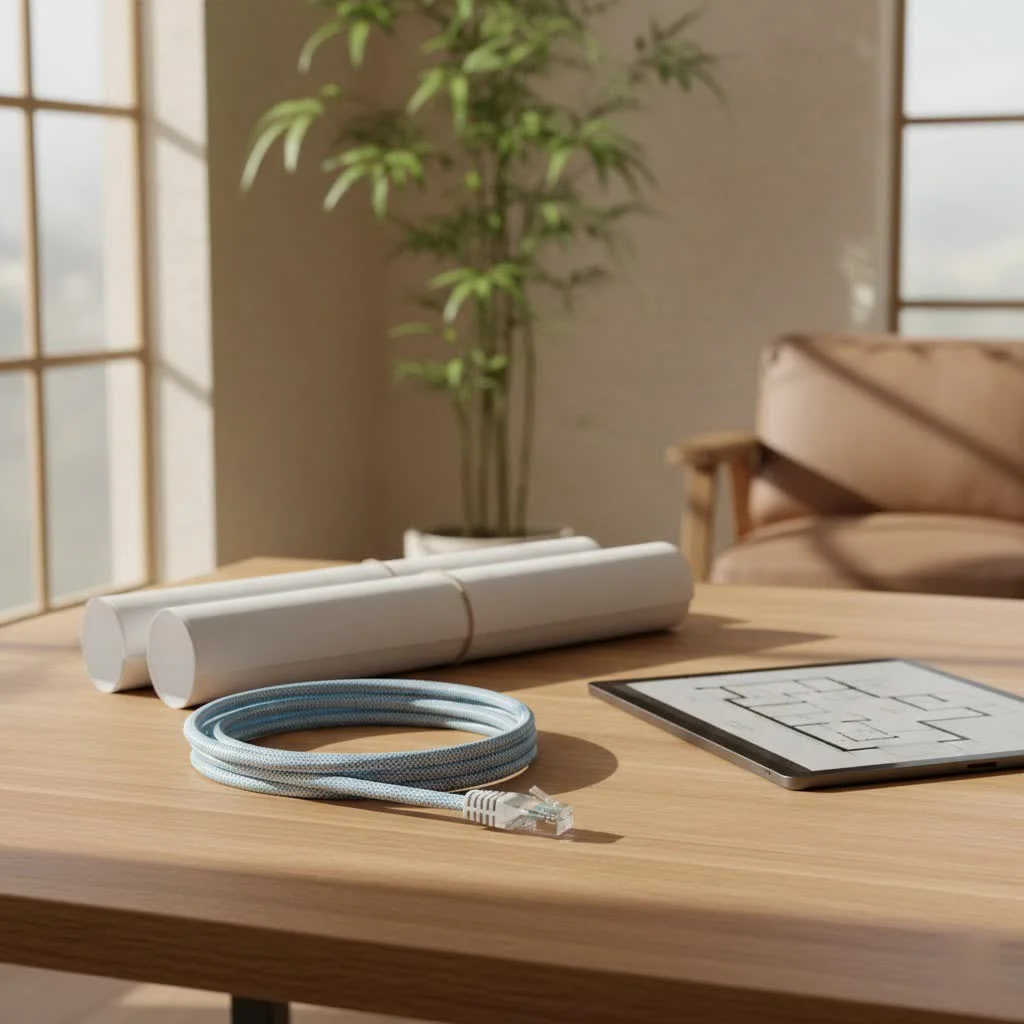 Ethernet cable for home and office networking” style=”margin: 20px auto;width: 800px;max-width: 100%;height: auto” />
Understanding Ethernet Cable Categories
Ethernet cables are categorized by performance levels. For a 50 ft Ethernet cable, the most common categories are Cat5e, Cat6, and Cat6a, with Cat7 and Cat8 available for specialized, higher-demand applications.
- Cat5e (Category 5e): This enhanced Cat5 version supports Gigabit Ethernet (1 Gbps) over distances up to 100 meters (328 feet). It is a cost-effective option for basic home networking, web browsing, and casual streaming.
- Cat6 (Category 6): Offering higher bandwidth (up to 250 MHz) and improved crosstalk performance over Cat5e, Cat6 supports Gigabit Ethernet up to 100 meters. It can also handle 10 Gigabit Ethernet over shorter distances, typically up to 55 meters (180 feet), making it suitable for a 50 ft run if 10 Gbps is desired.
- Cat6a (Category 6 Augmented): Designed for 10 Gigabit Ethernet over the full 100-meter distance, Cat6a operates at a higher frequency (500 MHz) and features improved alien crosstalk characteristics compared to Cat6. For a 50 ft run, Cat6a provides robust 10 Gbps performance with ample headroom.
- Cat7 (Category 7) and Cat8 (Category 8): These categories offer even higher performance. Cat7 supports 10 Gigabit Ethernet up to 100 meters with individual shielding for each twisted pair, while Cat8 is designed for 25 Gigabit and 40 Gigabit Ethernet over shorter distances (up to 30 meters). While excellent, they are generally overkill and more expensive for typical 50 ft home or small office applications.
Speed, Bandwidth, and Distance: What a 50 ft Cable Can Really Do
A common concern with longer Ethernet cables is potential speed loss. For a 50 ft Ethernet cable, you are well within the optimal performance range for most modern cable categories, ensuring full speed delivery.
Does a 50 ft Ethernet cable slow down your internet speed?
No, a high-quality 50 ft Ethernet cable will not inherently slow down your internet speed. Standard Ethernet specifications allow for runs up to 100 meters (328 feet) before signal degradation becomes a significant factor for common speeds. At 50 feet (approximately 15.2 meters), you are well within these limits, ensuring your cable delivers its full rated speed and bandwidth.
Here’s a quick comparison of what you can expect from different categories over a 50 ft distance:
| Cable Category | Maximum Data Rate at 50 ft | Maximum Bandwidth | Best For |
|---|---|---|---|
| Cat5e | 1 Gigabit Ethernet (1 Gbps) | 100 MHz | Basic browsing, streaming HD video |
| Cat6 | 10 Gigabit Ethernet (10 Gbps) | 250 MHz | High-speed gaming, 4K streaming, home servers |
| Cat6a | 10 Gigabit Ethernet (10 Gbps) | 500 MHz | Data-intensive applications, professional setups |
| Cat7 | 10 Gigabit Ethernet (10 Gbps) | 600 MHz | Advanced networking with enhanced shielding |
| Cat8 | 25/40 Gigabit Ethernet (25/40 Gbps) | 2000 MHz | Data centers, specialized ultra-high-speed needs |
“For most residential and small business applications, a 50 ft Cat6 or Cat6a cable offers an excellent balance of performance and value, easily handling Gigabit and even 10 Gigabit speeds without compromise,” advises Dr. Evelyn Reed, Network Architect at SDCMT Labs.
Selecting the Right 50 ft Ethernet Cable for Your Needs
Choosing the “best” 50 ft Ethernet cable depends largely on your specific application. Consider what you’ll be connecting and how demanding your network tasks are.
For Your Home Network: Browsing, Streaming, and Everyday Use
|
Our Picks for the Best Ethernet Cable in 2026
As an Amazon Associate I earn from qualifying purchases.
|
||
| Num | Product | Action |
|---|---|---|
| 1 | Snowkids Cat 8 Ethernet Cable 15 FT, Strong Signal, High Speed 40Gbps 2000Mhz, Network Cord with RJ45 Internet Connector for TV/Printer/Computer/Modem/Router/ps-3/4/5, Braided Flat LAN Cable 15FT Grey |

|
| 2 | Jadaol Cat 6 Ethernet Cable 50 ft, 10Gbps Support Cat8 Cat7 Network, Flat RJ45 LAN Patch Cable, High-Speed Wired Internet Cable for Router, Modem, Switch, Gaming Consoles, PC, Streaming Devices, White |
|
| 3 | Vabogu Cat 8 Ethernet Cable, Heavy Duty High Speed Internet Network Cable, Multiple Size Options, 26AWG, 2000MHz 40Gbps with Gold Plated RJ45 Connectors, Shielded for Indoor & Outdoor Use, 6FT |
|
| 4 | Amazon Basics 5-Pack RJ45 Cat 6 Ethernet Patch Cable, 10Gpbs High-Speed Cable, Gold-Plated, Snagless, 5 Foot, Multicolor |
|
| 5 | Cat 8 Ethernet Cable 50 ft, 6ft 10ft 20ft 30ft 40ft 75ft 100ft 150ft Heavy Duty High Speed Internet Network Cable 26AWG 40Gbps 2000Mhz,Professional LAN Cable Shielded in Wall,Indoor&Outdoor |
|
| 6 | UGREEN Cat 8 Ethernet Cable 10FT, High Speed Braided 40Gbps 2000Mhz Network Cord Cat8 RJ45 Shielded Indoor Heavy Duty LAN Cables Compatible for Gaming PC PS5 Xbox Modem Router 10FT |
|
| 7 | Amazon Basics RJ45 Cat 6 Ethernet Patch Cable, 10Gpbs High-Speed Cable, 250MHz, Snagless, 10 Foot, Black for Printer |
|
| 8 | Amazon Basics RJ45 Cat-6 Ethernet Patch Cable, 1Gpbs Transfer Speed, Gold-Plated Connectors, 50 Foot for PC, TV, Tablet, Router, Printer, Black |
|
| 9 | UGREEN Cat 8 Ethernet Cable 6FT, High Speed Braided 40Gbps 2000Mhz Network Cord Cat8 RJ45 Shielded Indoor Heavy Duty LAN Cables Compatible for Gaming PC PS5 Xbox Modem Router 6FT |
|
| 10 | Amazon Basics Cat 6 Ethernet RJ45 10Gbps Flat Cable 100 ft Outdoor&Indoor White Solid Patch Cord with Clips for Router, Modem, PS4/5, Xbox, Gaming, Computer Network for High Speed LAN Internet |
|
If your primary uses include general internet browsing, streaming high-definition video, and connecting standard smart home devices, a Cat5e or Cat6 50 ft Ethernet cable is usually sufficient. Cat6 will offer more future-proofing and better performance for internal network transfers between devices like a NAS (Network Attached Storage) and your computer.
For Gaming: Low Latency and Stable Connection
Gamers demand the absolute best in terms of low latency and a stable connection. While Cat5e can suffice, a Cat6 or Cat6a 50 ft Ethernet cable is highly recommended. These categories offer superior interference protection and higher bandwidth, translating to quicker response times and a more consistent gaming experience. Look for cables with pure copper conductors for the best signal integrity.
For Office or Professional Use: Higher Bandwidth and Reliability
In a professional environment where large files are frequently transferred, video conferencing is common, or multiple users are heavily utilizing the network, a Cat6a 50 ft Ethernet cable is often the optimal choice. It ensures reliable 10 Gigabit Ethernet performance, preventing bottlenecks and maintaining productivity. For specialized applications like PoE (Power over Ethernet) devices, ensure your chosen cable meets the necessary power delivery standards.
Important Cable Characteristics to Consider:
- Shielding (UTP vs. STP):
- UTP (Unshielded Twisted Pair): Most common for home and office use, UTP cables rely on the twisted pairs to cancel out electromagnetic interference (EMI). They are more flexible and less expensive.
- STP (Shielded Twisted Pair): STP cables have an additional layer of shielding (foil or braid) around the twisted pairs, offering superior protection against EMI. They are bulkier, less flexible, and generally more expensive, often used in environments with high interference, such as near power lines or machinery. For a 50 ft run in a typical home or office, UTP is usually fine unless you have specific interference issues.
- Conductor Material (Pure Copper vs. CCA):
- Pure Copper: Offers the best performance, reliability, and power delivery (for PoE). Always prioritize pure copper conductors for critical applications.
- CCA (Copper Clad Aluminum): Less expensive, CCA cables have an aluminum core with a thin copper coating. They have higher resistance, are more prone to signal loss, and are not recommended for PoE or long runs, though for a 50 ft cable, they might “work” for basic tasks. However, for longevity and consistent performance, pure copper is always superior.
- Cable Jacket (PVC vs. LSZH):
- PVC (Polyvinyl Chloride): Standard jacket material, durable and flexible.
- LSZH (Low Smoke Zero Halogen): Used in public spaces or confined areas, LSZH cables emit less smoke and toxic fumes in case of fire, making them a safer choice for specific installation environments.
- Connectors: Look for snagless boots that protect the locking tab from breaking during installation and gold-plated contacts for better conductivity and corrosion resistance.
Installation and Connection Tips for Your 50 ft Ethernet Cable
Proper installation is key to getting the most out of your 50 ft Ethernet cable. A well-routed and connected cable ensures maximum performance and longevity.
- Plan Your Route: Before running the cable, map out the most efficient and least intrusive path. Avoid running cables near major electrical appliances, power lines, or fluorescent lighting, as these can introduce electromagnetic interference.
- Mind the Bend Radius: Ethernet cables are designed with a minimum bend radius. Bending them too sharply can damage the internal conductors and impair performance. Avoid sharp 90-degree turns; instead, opt for gradual curves.
- Avoid Kinks and Pinches: Do not pull the cable too tightly or pinch it under furniture, doors, or heavy objects. This can damage the internal wiring, leading to intermittent connections or reduced speed.
- Use Cable Management: For a 50 ft cable, effective cable management is crucial. Use cable ties, clips, or raceways to keep the cable neat, organized, and protected. This prevents tripping hazards and makes it easier to trace cables if troubleshooting is needed.
- Connecting RJ45: If your cable comes pre-terminated, simply plug it in. If you’re terminating your own cable, ensure you follow the T568A or T568B wiring standards consistently on both ends. Use a good quality crimping tool and test the connection thoroughly.
Common Issues and Troubleshooting with 50 ft Ethernet Cables
Even with the best cable, issues can arise. Here’s how to troubleshoot common problems with your 50 ft Ethernet cable:
- No Connection or Intermittent Connection:
- Check Connections: Ensure both ends of the cable are securely plugged into the correct ports on your router, switch, and device.
- Test with Another Cable: If possible, swap the 50 ft cable with a shorter, known-good cable to determine if the issue is with the cable itself or another component.
- Inspect for Damage: Look for visible kinks, cuts, or damaged RJ45 connectors. Even minor damage can disrupt the signal.
- Slow Speeds (when it shouldn’t be the cable length):
- Verify Cable Category: Double-check that you’re using a Cat6 or Cat6a cable for 1 Gigabit or 10 Gigabit speeds, as expected.
- Check Network Devices: Ensure your router, switch, and device’s network adapter all support the speeds you’re trying to achieve. A chain is only as strong as its weakest link.
- Test Other Devices: If only one device is slow, the issue might be with that device’s network adapter or software, not the cable.
- Coiling: Excess cable that is tightly coiled, especially in a compact bundle, can sometimes induce crosstalk or interference. While minimal for a 50 ft run, try uncoiling excess length or using a figure-eight pattern for storage.
Maximizing Longevity: Care and Maintenance for Your Ethernet Cable
Proper care can significantly extend the lifespan of your 50 ft Ethernet cable and maintain its performance.
- Protect from Physical Stress: Avoid bending, twisting, or pulling the cable excessively. If running it through walls or conduits, use appropriate protective measures.
- Avoid Extreme Temperatures: While Ethernet cables are generally resilient, extreme heat or cold can degrade the jacket and internal conductors over time.
- Keep it Clean: Dust and debris can accumulate around connectors. Periodically unplug and clean the RJ45 plugs and ports with compressed air or a soft, dry cloth.
- Regular Inspections: If your cable is in an area prone to damage (e.g., foot traffic, pets), a quick visual inspection every few months can catch potential problems early.
Conclusion
A 50 ft Ethernet cable is a versatile and essential component for extending your wired network reach. By understanding the different cable categories, considering your specific needs, and following proper installation and maintenance guidelines, you can ensure a fast, reliable, and secure connection for years to come. Whether you’re a hardcore gamer, a remote professional, or simply want a more stable home network, investing in the right 50 ft Ethernet cable is a smart decision that pays dividends in performance and peace of mind. Choose wisely, connect confidently, and enjoy the full potential of your wired network.
Frequently Asked Questions
Will a 50 ft Ethernet cable slow down my internet speed?
No, a high-quality 50 ft Ethernet cable will not inherently slow down your internet speed. Standard Ethernet specifications allow for runs up to 100 meters (328 feet) before signal degradation becomes a significant factor for common speeds. At 50 feet (approximately 15.2 meters), you are well within these limits, ensuring your cable delivers its full rated speed and bandwidth.
Which Ethernet cable category is best for a 50 ft run?
For most residential and small business applications, a 50 ft Cat6 or Cat6a cable offers an excellent balance of performance and value. Cat6 supports 10 Gigabit Ethernet up to 55 meters, while Cat6a supports 10 Gigabit Ethernet over the full 100-meter distance, making both suitable for a 50 ft run.
What is the difference between UTP and STP Ethernet cables?
UTP (Unshielded Twisted Pair) cables are most common for home and office use, relying on twisted pairs to cancel electromagnetic interference (EMI). STP (Shielded Twisted Pair) cables have an additional layer of shielding, offering superior protection against EMI, and are typically used in environments with high interference.
Should I choose pure copper or CCA for a 50 ft Ethernet cable?
Always prioritize pure copper conductors for critical applications as they offer the best performance, reliability, and power delivery for PoE. CCA (Copper Clad Aluminum) cables are less expensive but have higher resistance and are more prone to signal loss, making them less ideal for longevity and consistent performance.
How can I prevent damage to my 50 ft Ethernet cable during installation?
To prevent damage, plan your route carefully, avoiding sharp 90-degree turns and running cables near electrical appliances. Do not pull the cable too tightly or pinch it under objects, and use cable ties or raceways for proper management to protect it from physical stress.
How to Install and Connect a 50 ft Ethernet Cable
Proper installation ensures maximum performance and longevity for your 50 ft Ethernet cable.
Before running the cable, map out the most efficient and least intrusive path. Avoid running cables near major electrical appliances, power lines, or fluorescent lighting, as these can introduce electromagnetic interference.
Ethernet cables are designed with a minimum bend radius. Bending them too sharply can damage the internal conductors and impair performance, so opt for gradual curves instead of sharp 90-degree turns.
Do not pull the cable too tightly or pinch it under furniture, doors, or heavy objects. This can damage the internal wiring, leading to intermittent connections or reduced speed over time.
For a 50 ft cable, effective cable management is crucial. Use cable ties, clips, or raceways to keep the cable neat, organized, and protected, preventing tripping hazards and simplifying troubleshooting.
If your cable comes pre-terminated, simply plug it in. If terminating your own cable, ensure you follow the T568A or T568B wiring standards consistently on both ends, using a quality crimping tool and testing the connection thoroughly.
Get our weekly buyer guide
Practical specs, not advice. Unsubscribe anytime.

I picked up a 50 ft Cat6 cable for my home office setup. While it does provide a stable connection for my work laptop, I noticed that the speeds aren’t quite hitting the 10 Gigabit Ethernet mark consistently, even though the cable category should support it. It’s still better than Wi-Fi, but I was hoping for a bit more oomph. Maybe my router is the bottleneck.
Finally got rid of my flaky Wi-Fi connection for my security camera system! A 50 ft Ethernet cable was just what I needed to reach the furthest camera. I chose a Cat7 for future-proofing, and the video feed is now crystal clear and uninterrupted. Installation was straightforward, and the cable feels really durable.
This cable length is really versatile. I used it to hardwire my smart TV, which is pretty far from my modem. The Cat5e option was a good balance of price and performance for streaming 4K content without any buffering. It’s definitely more reliable than my old wireless connection, though the cable itself is a bit stiff to route around corners.
I needed a long cable to connect my gaming PC to the router in another room, and this 50 ft Ethernet cable was perfect. I went with a Cat6a as recommended for higher speeds, and the difference from Wi-Fi is night and day. No more lag spikes during online games. Super stable connection, exactly what I was looking for.